Student Profile Update
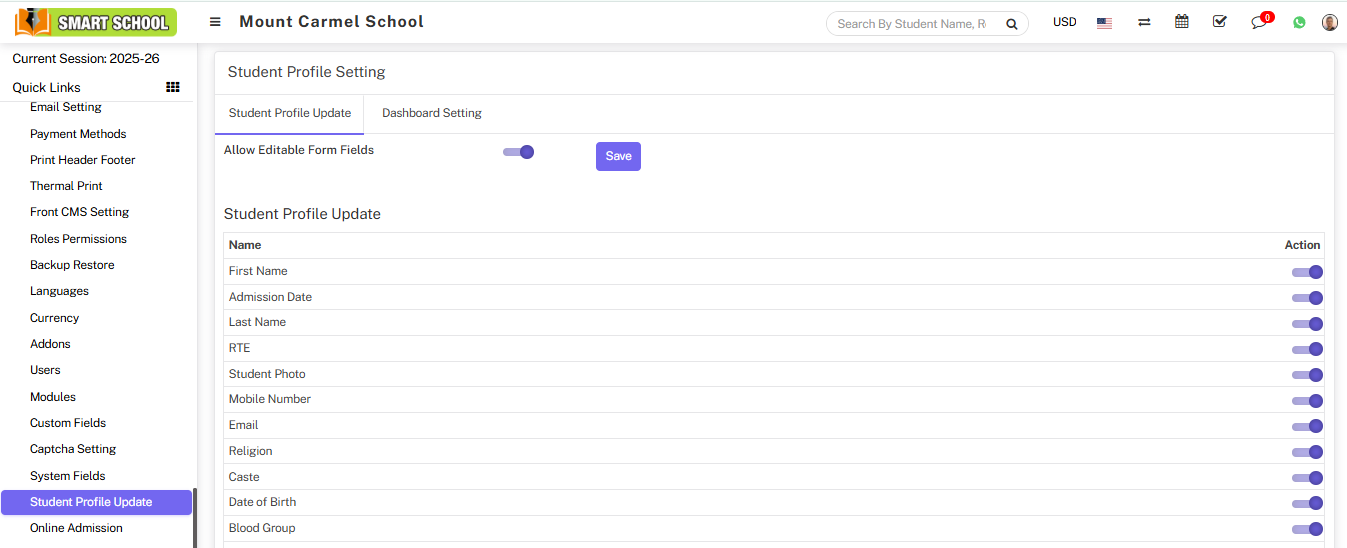
⚙️ Enable Student Profile Update
This feature allows students and parents to update student profile details.
Login as Superadmin and go to:
System Settings > Student Profile Update
Enable Allowed Editable Form Fields and click Save.
If you want to restrict any field, simply disable it from Allowed Edit Form Fields. Disabled fields will not appear on the profile page.
✏️ Edit Option on Profile
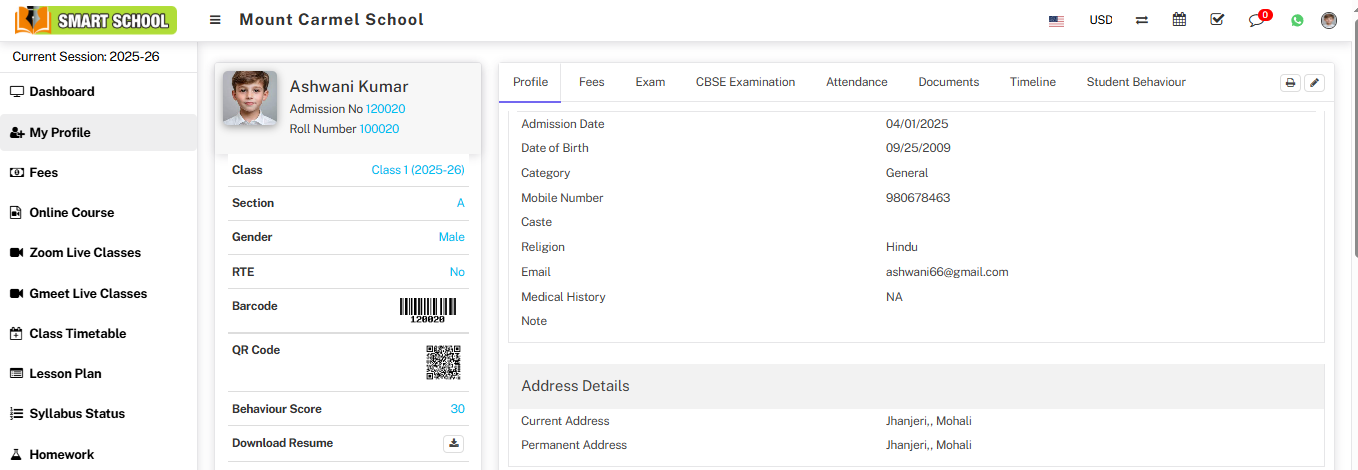
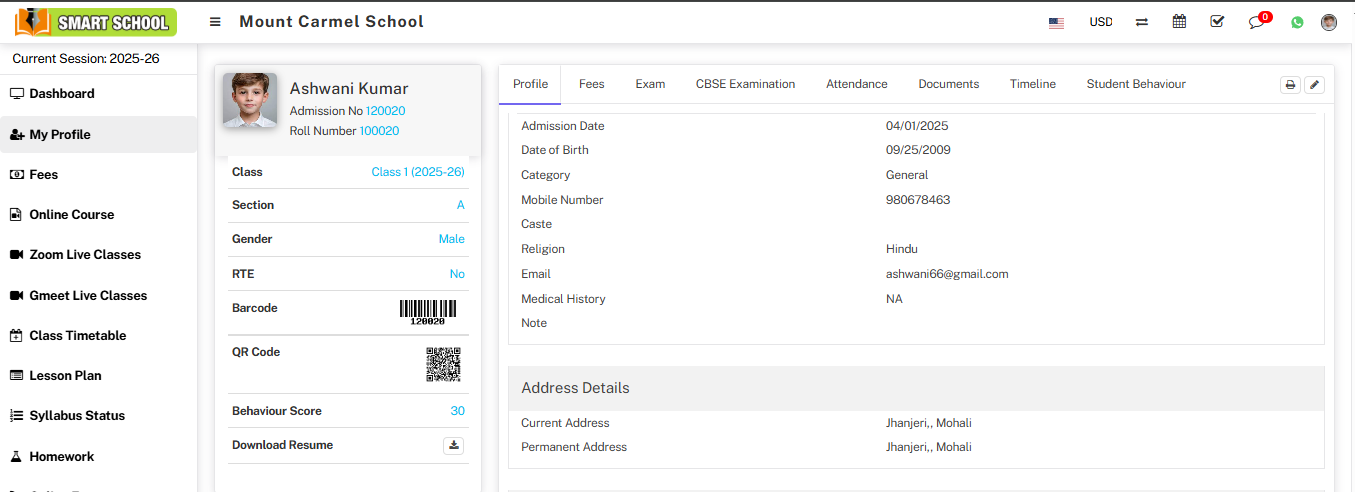
After enabling editable fields, an Edit icon will appear on the student profile page.
👨🎓 Update Profile from Student Panel
Login from the Student Panel and click on My Profile from the sidebar.
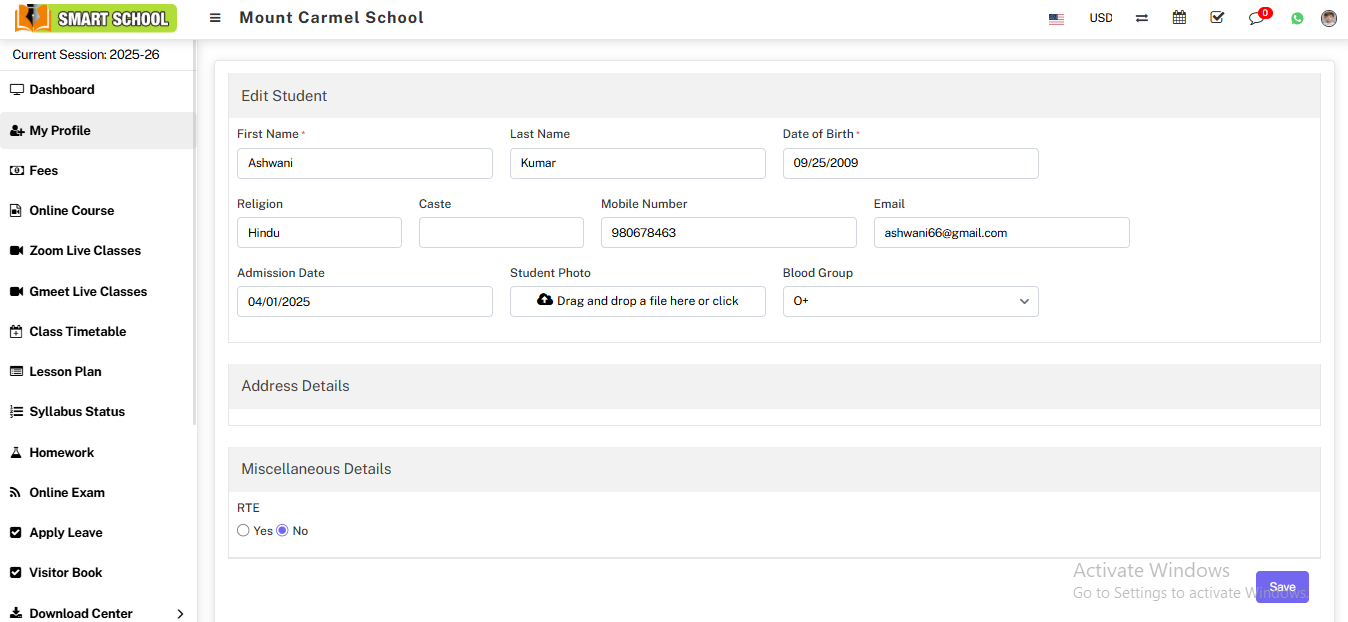
Click the Edit icon on the profile page to open the edit form.
Update the required details and click the Save button.
ℹ️ Note
If a field (e.g., Religion) is disabled by Superadmin, it will not be visible in the edit form.