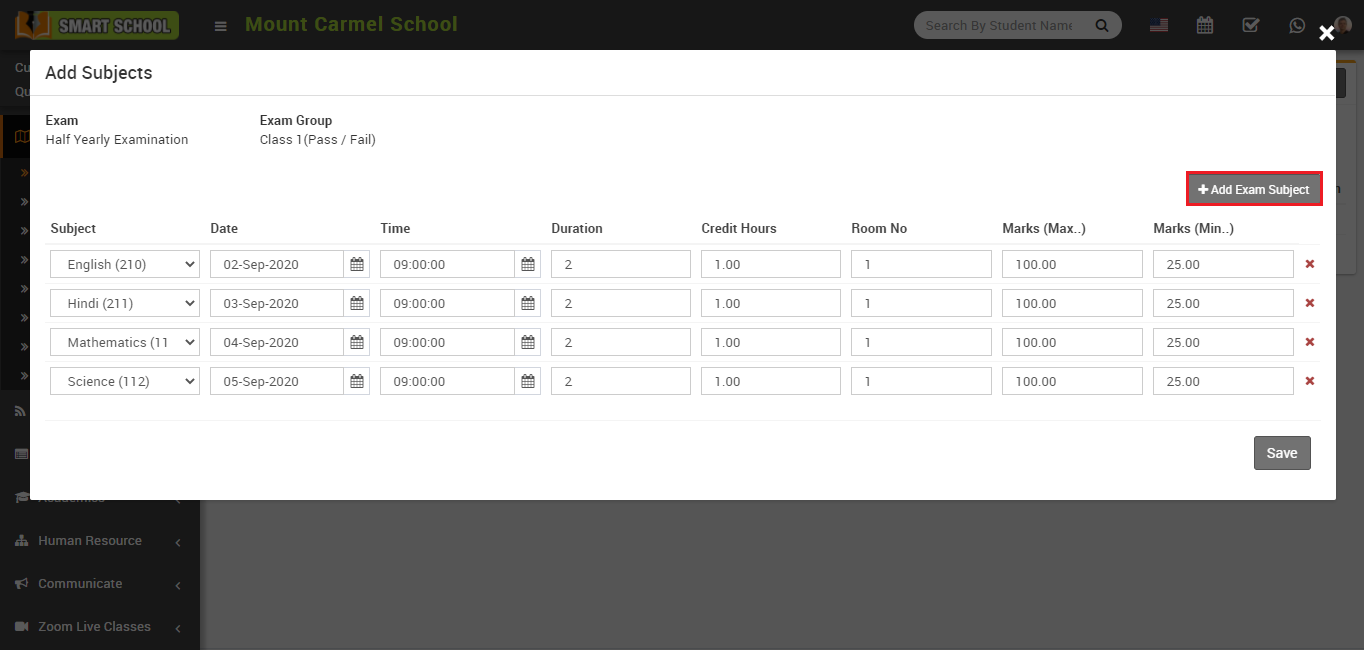
How to Add Subject in Exam?
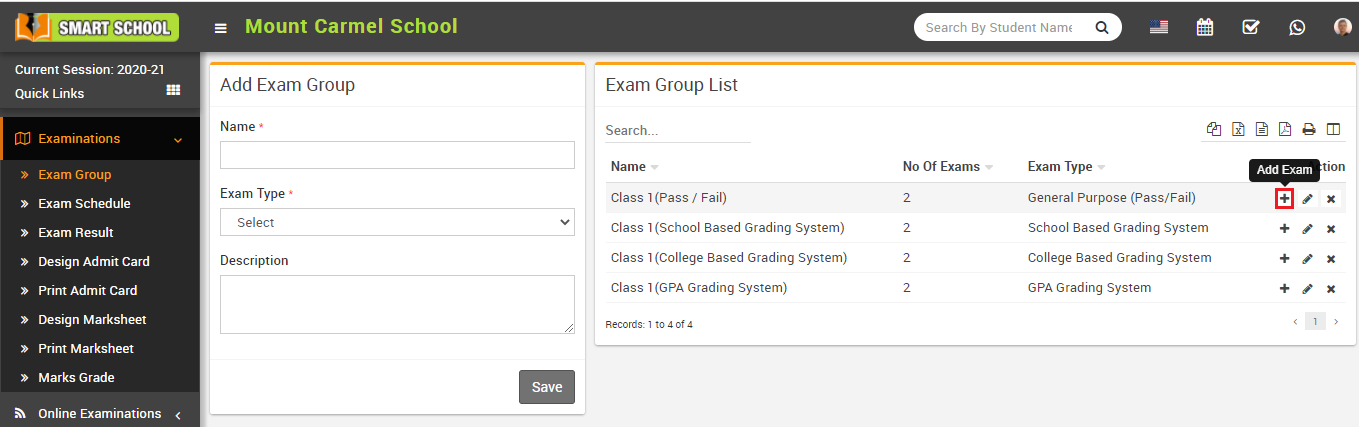
📌 Step 1: Open Exam Group
Go to Examination > Exam Group and click the Add icon in the Action column.
This will open the Exam List page.
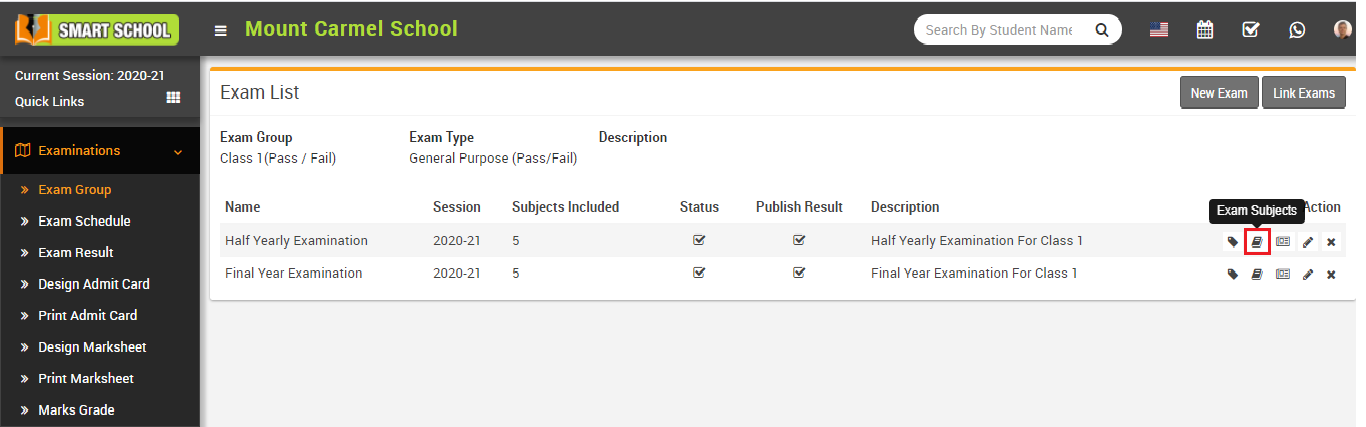
🧾 Step 2: Open Exam Subject
Click on the Exam Subject icon in the Action column of the exam list page.
This will open the Add Subjects modal.
➕ Step 3: Add Exam Subjects
Click Add Exam Subject button to add a new row.
Fill the required fields:
- Subject
- Date & Time
- Duration
- Credit Hours (GPA only)
- Room No.
- Marks (Max & Min)
Click Save to store data. Use Remove icon to delete a subject row.