How to Add Custom Field?
➕ Add Custom Field
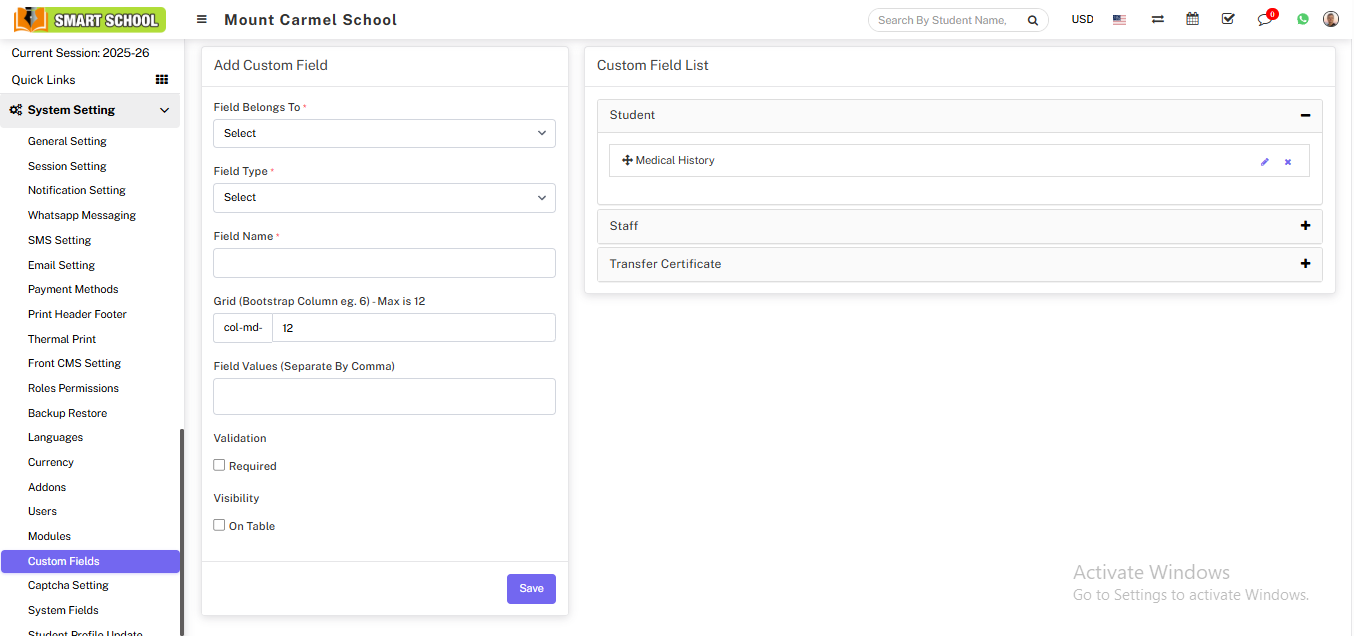
Go to System Setting > Custom Field.
Select required options:
- Field Belongs To
- Field Type
- Field Name
- Grid Size (Bootstrap Column 1–12, max 12)
- Field Values (comma separated if required)
- Validation (optional/required)
- Visibility
Click on Save to store the custom field.
✏ Manage Custom Field
You can manage custom fields using:
- Edit: Modify existing field
- Delete: Remove field from system