How to View Student Details?
To view student details, go to Student Information > Student Details. Select Class and Section, then click on Search.
You can also search students using keywords in the Search Text Box. Results will appear below the search area.
You can switch between List View and Details View using tabs.
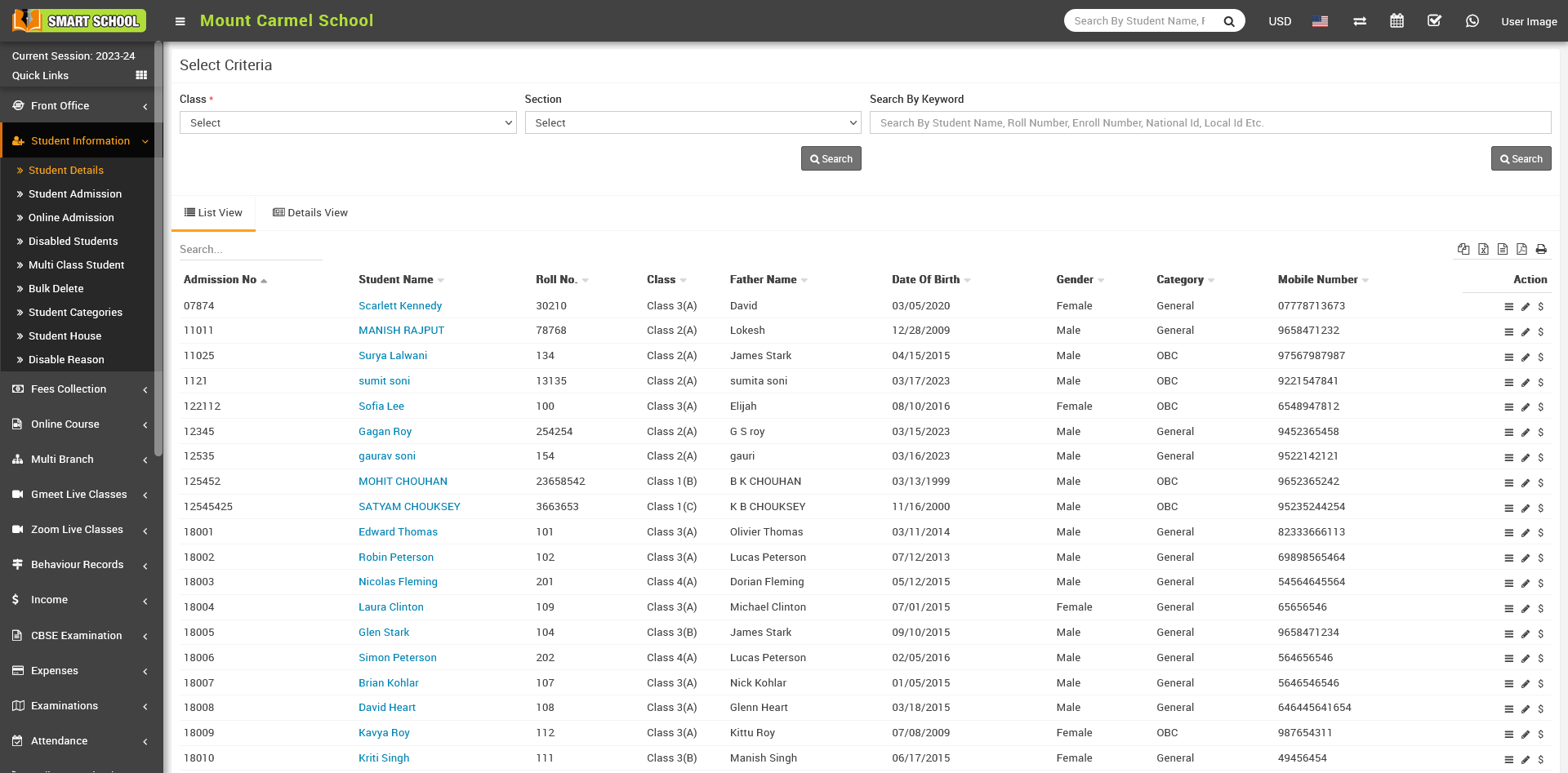
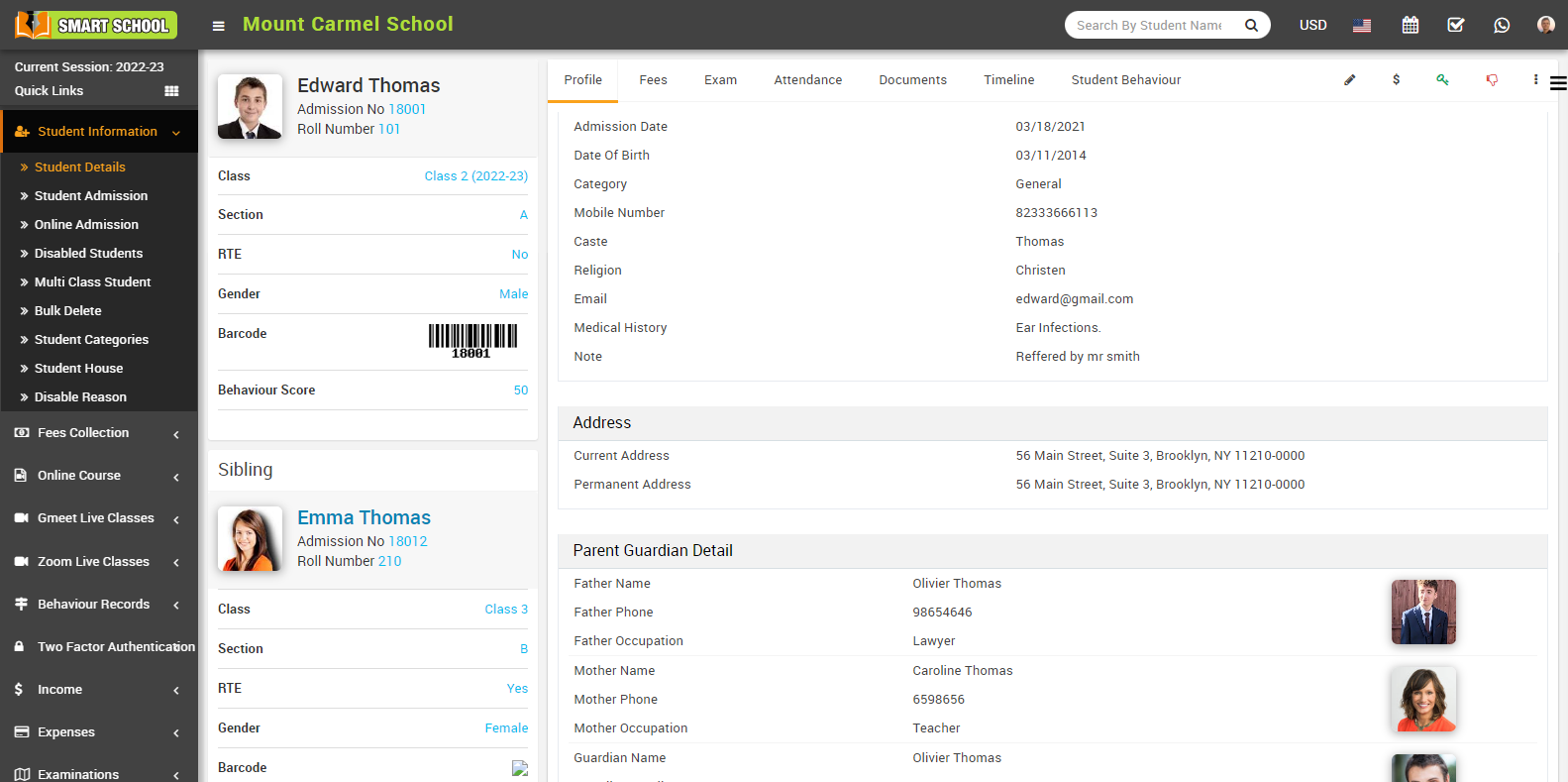
To view full student profile, click on Show icon in the Action column. The student profile page will open.
Here you can view: Class, Section, Address Details, Parent/Guardian Details, Hostel Details and Miscellaneous Details.
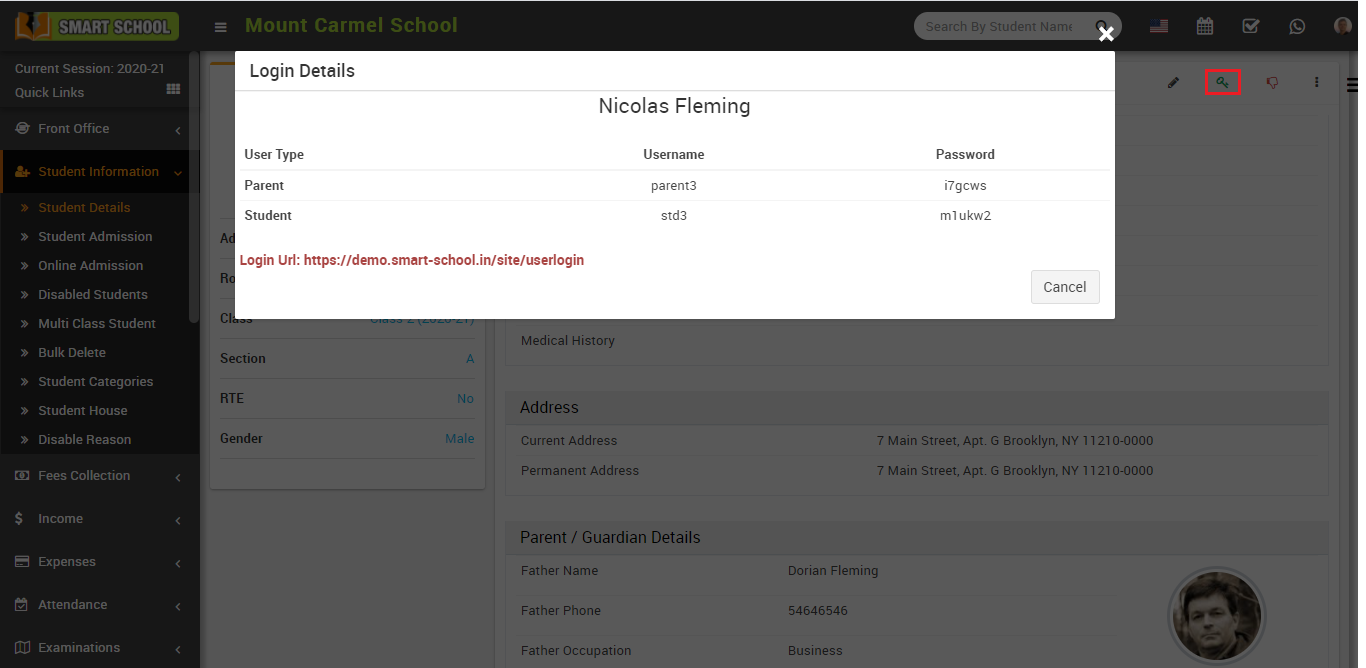
To check login credentials, click on Login Details icon. A modal will open showing student and parent login details.
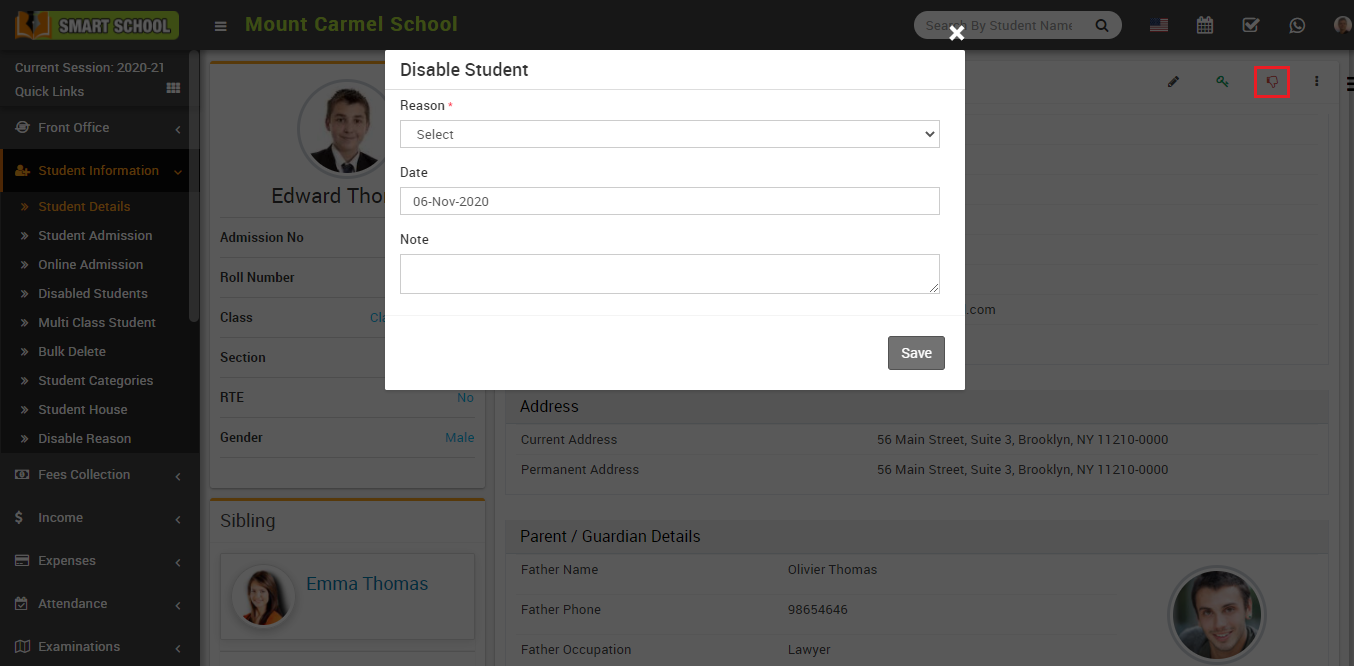
To disable a student, click on the Disable icon in the profile page. After confirmation, fill in Reason, Date, and Note, then click Save.