How to Add Complain?
To add complain, go to Front Office > Complain. Then select Complaint Type, Source, Complain By, Phone, Date, Description, Action Taken, Assigned, Note, and attach document. Finally click on Save button.
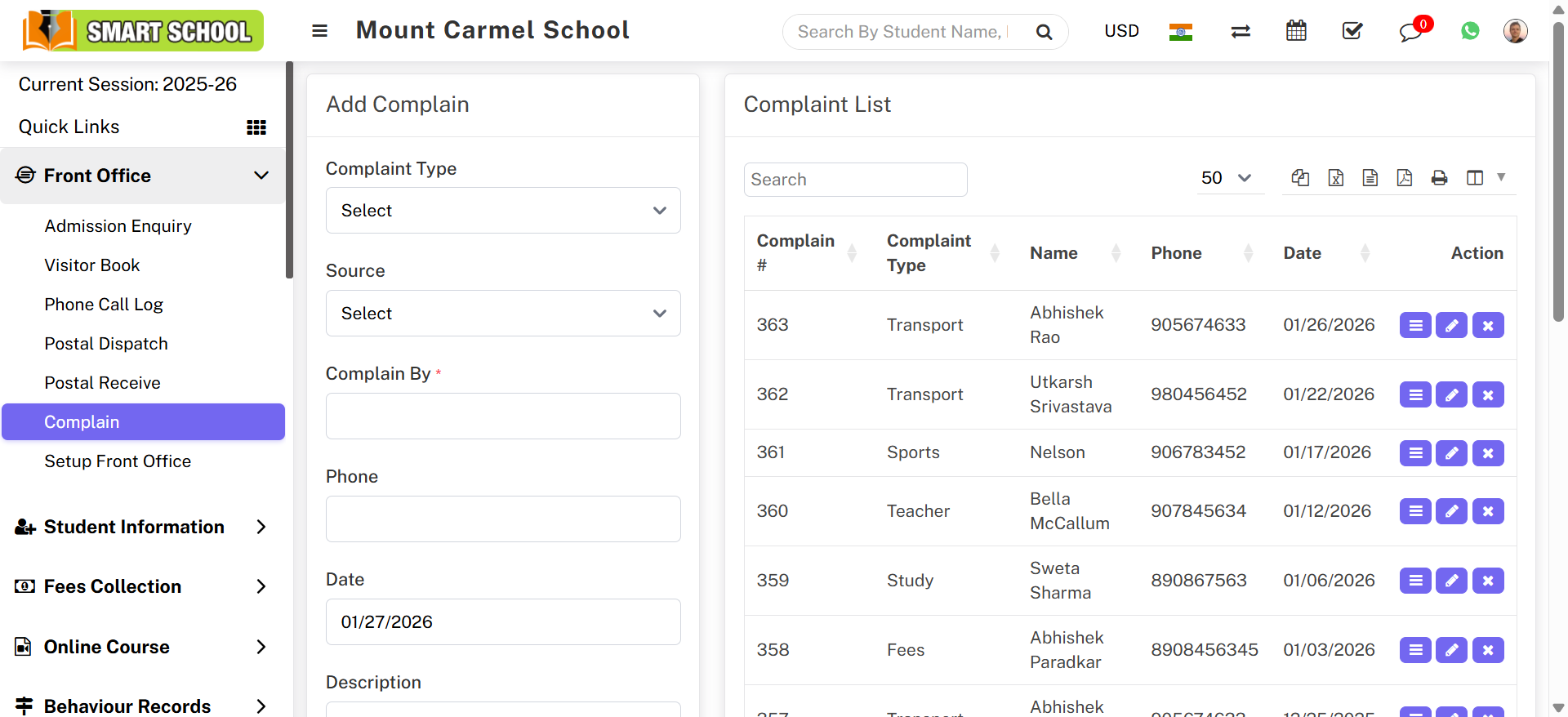
After saving, you can view the complain in the Complain List on the right side.
To view complain details, click on View icon in the Action column. A details modal will open showing full information.
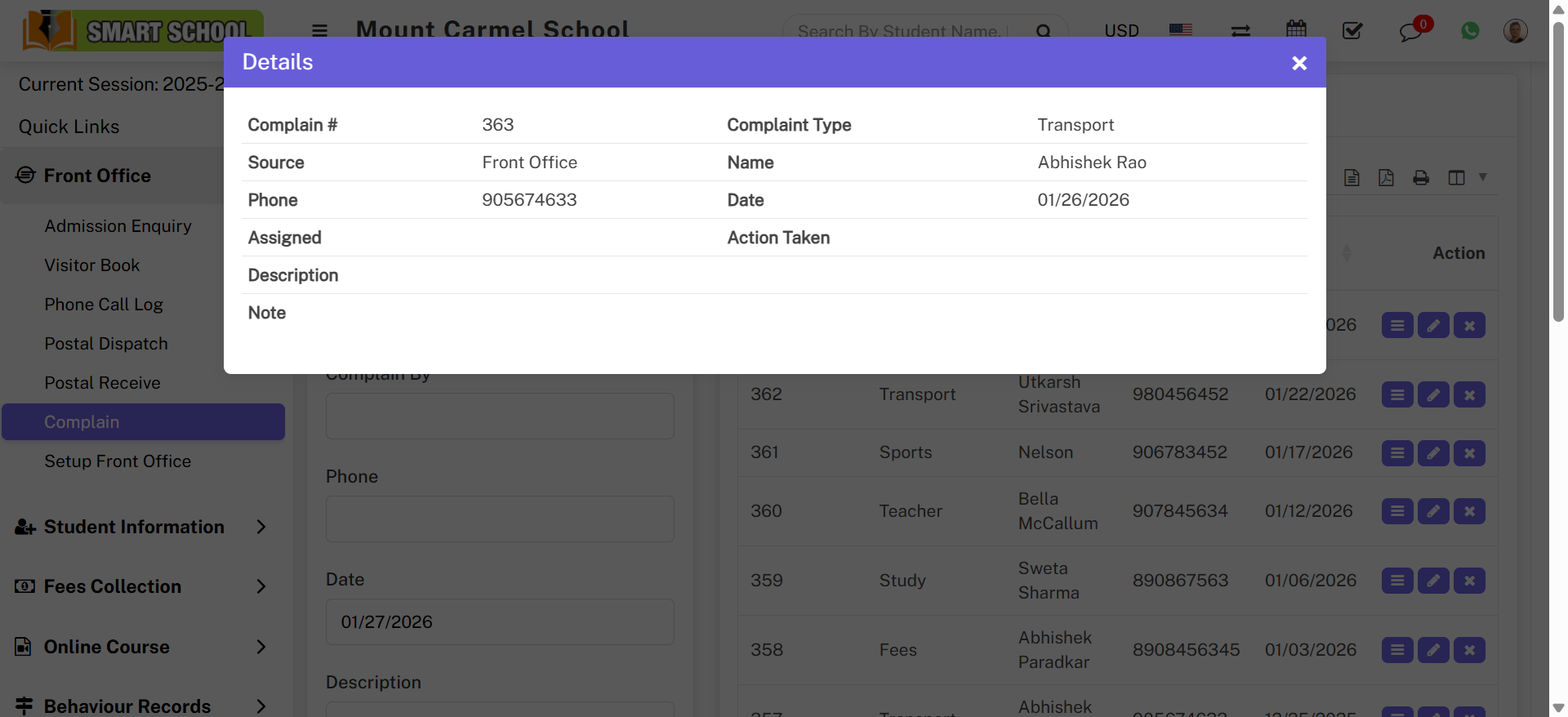
You can also Edit or Delete a complain directly from the action list.