How to Add Visitor Book?
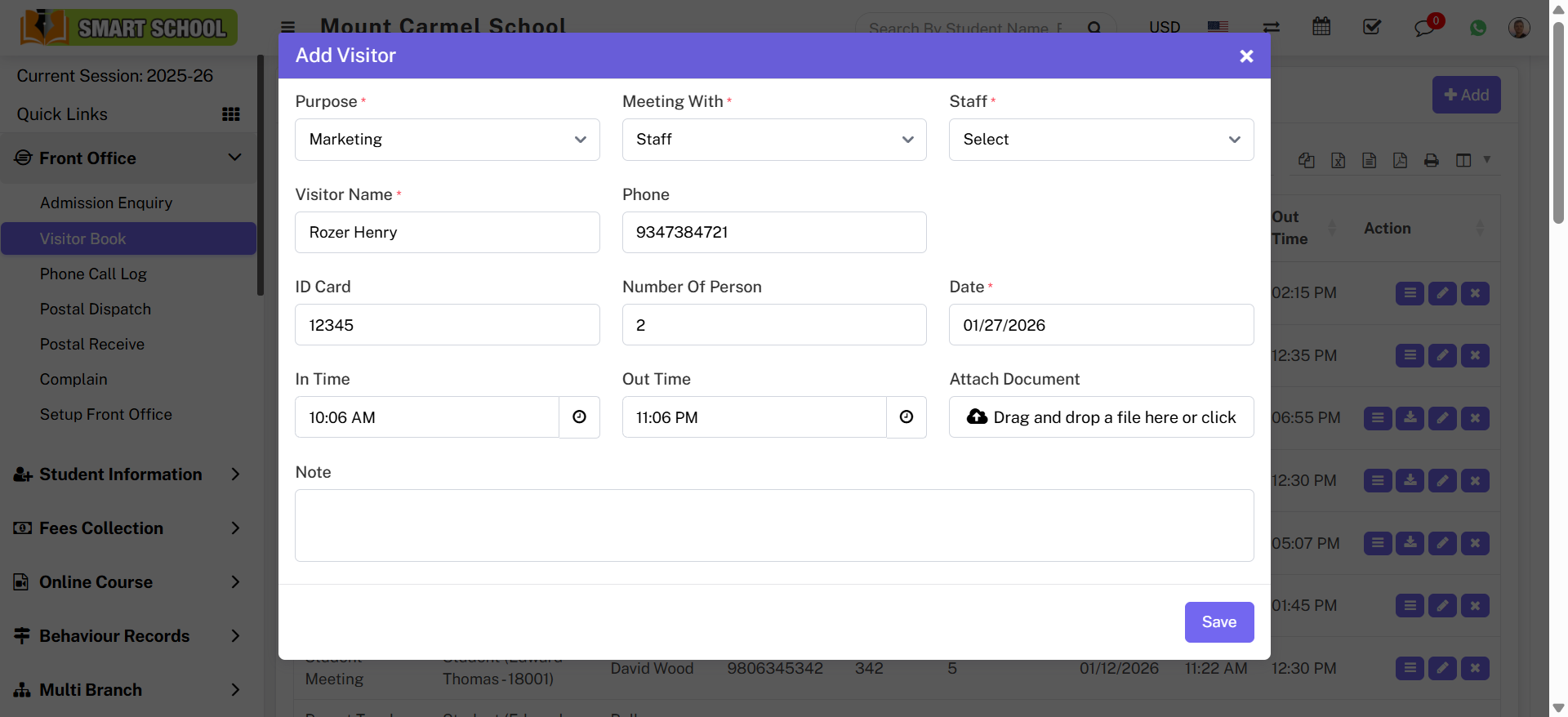
To add visitor book, go to Front Office > Visitor Book. Then click on Add button to open the visitor form.
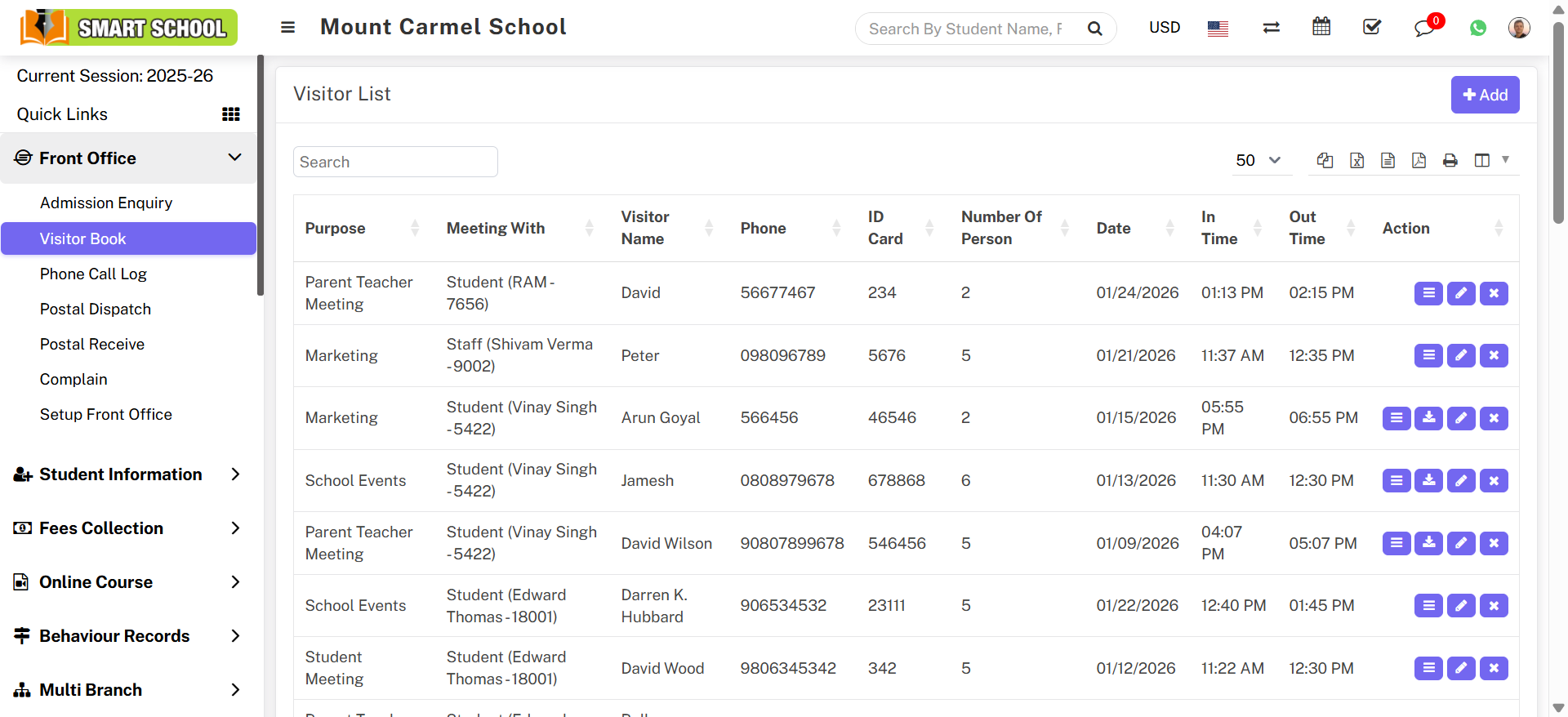
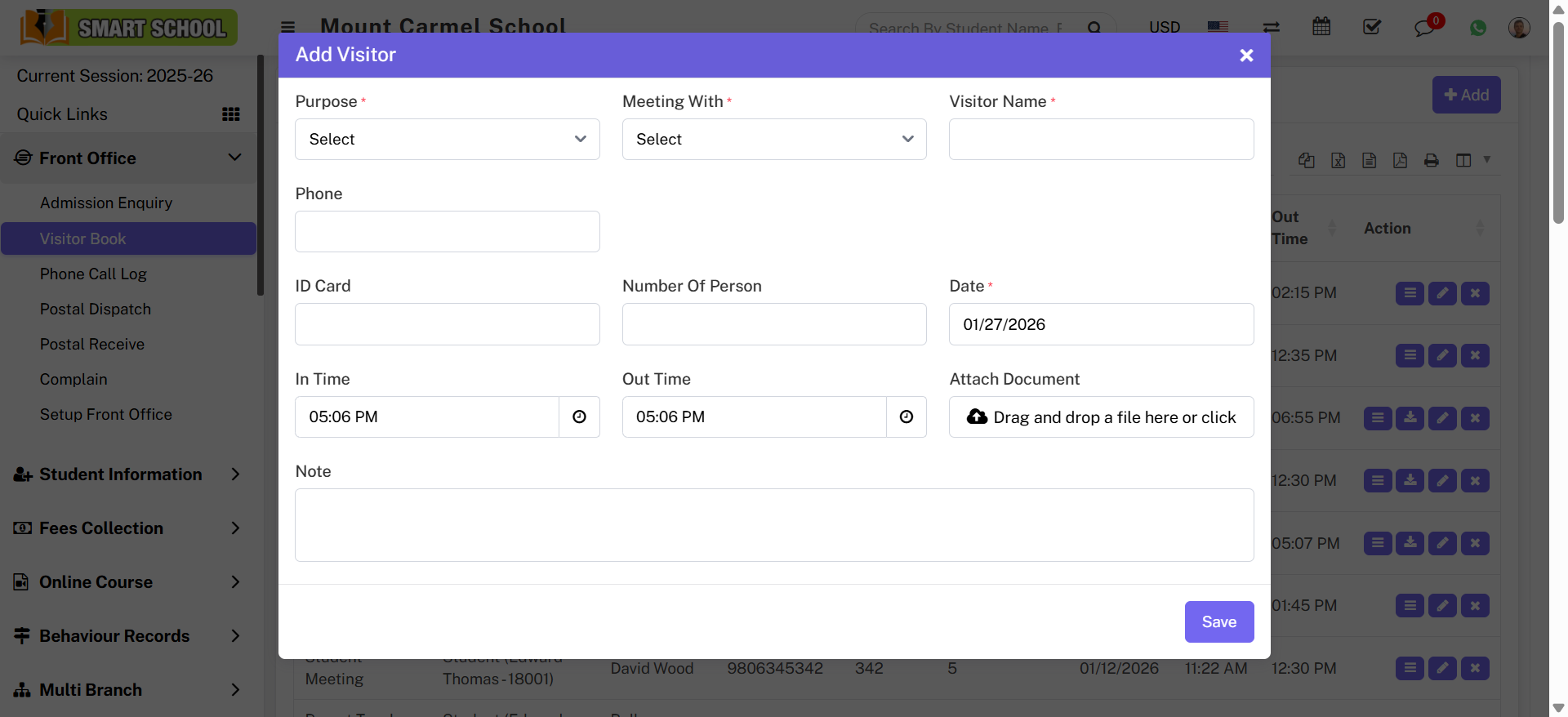
In the Add Visitor form, select Purpose and Meeting With. If you select Student, additional fields like Class, Section, and Student will appear.
If you select Staff, the staff tab will appear in the form.
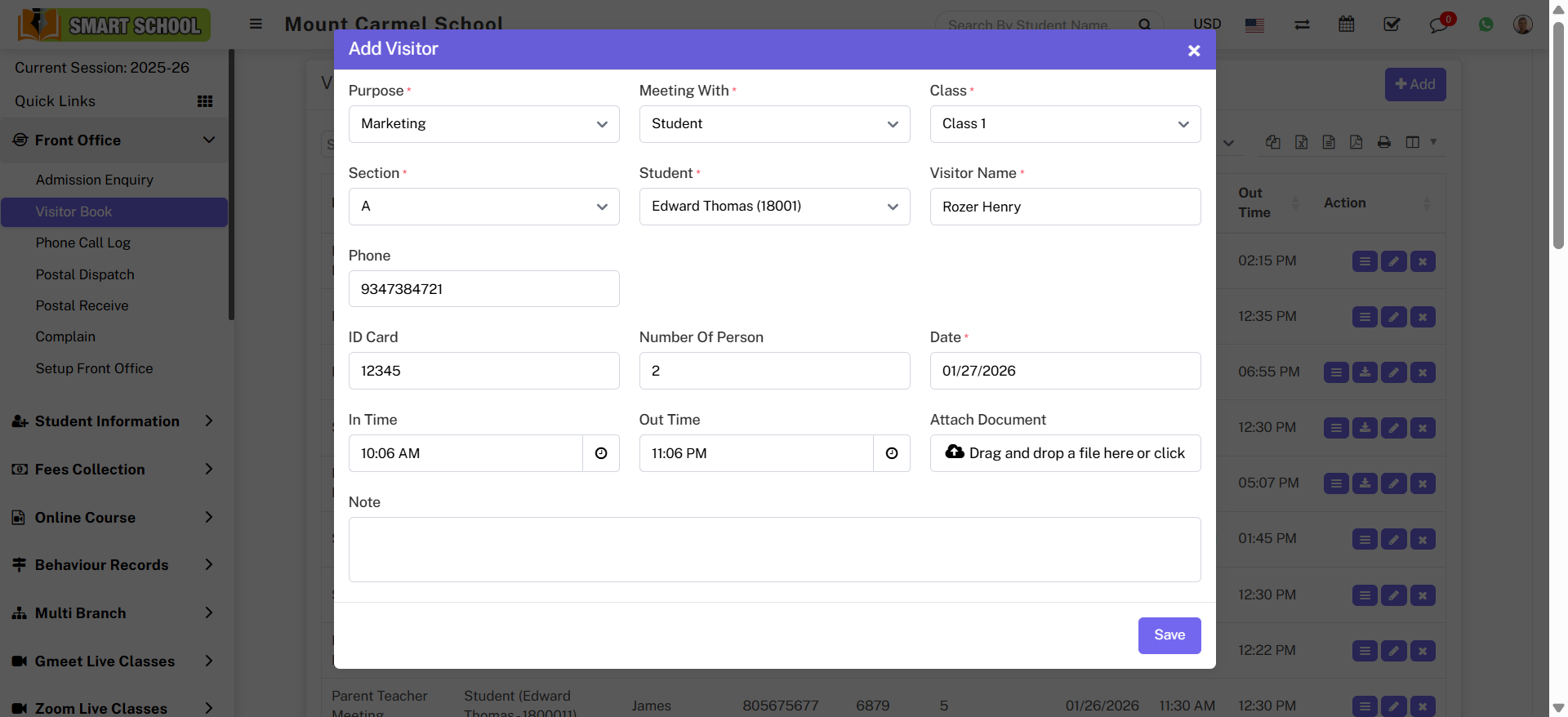
Now fill remaining details: Visitor Name, Phone, ID Card, Number of Persons, Date, In Time, Out Time, Attach Document and Note. Then click Save.
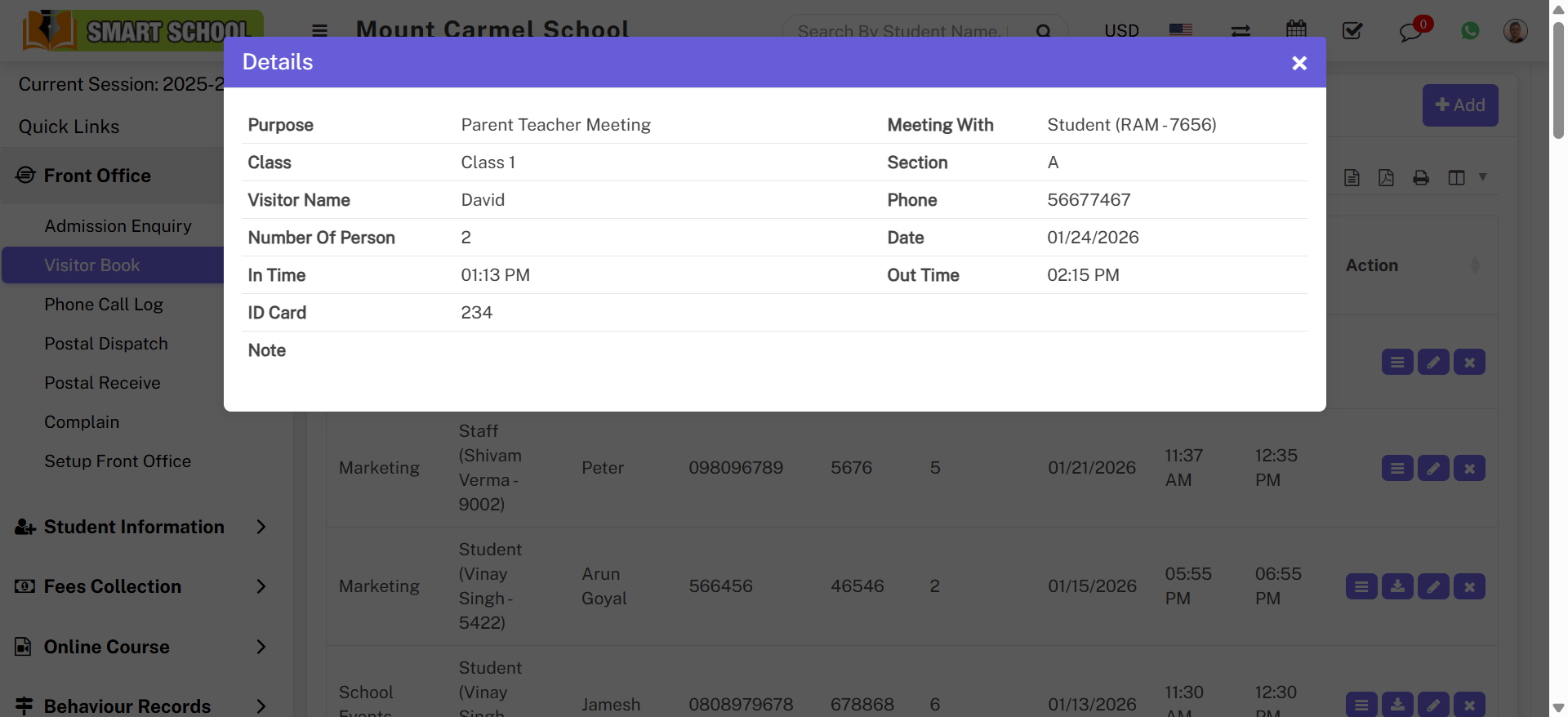
To view visitor details click View icon in Action column.
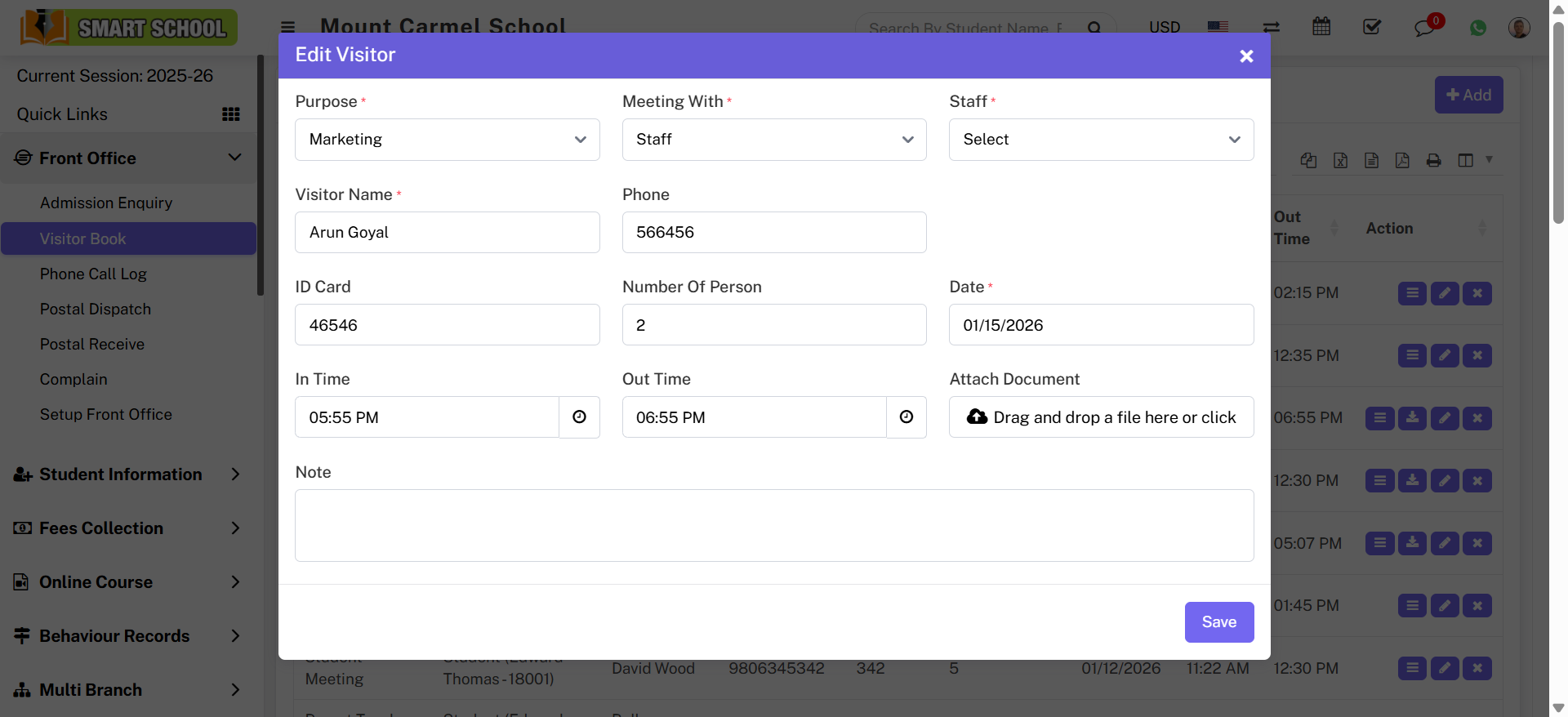
You can also Download documents or Edit visitor details.
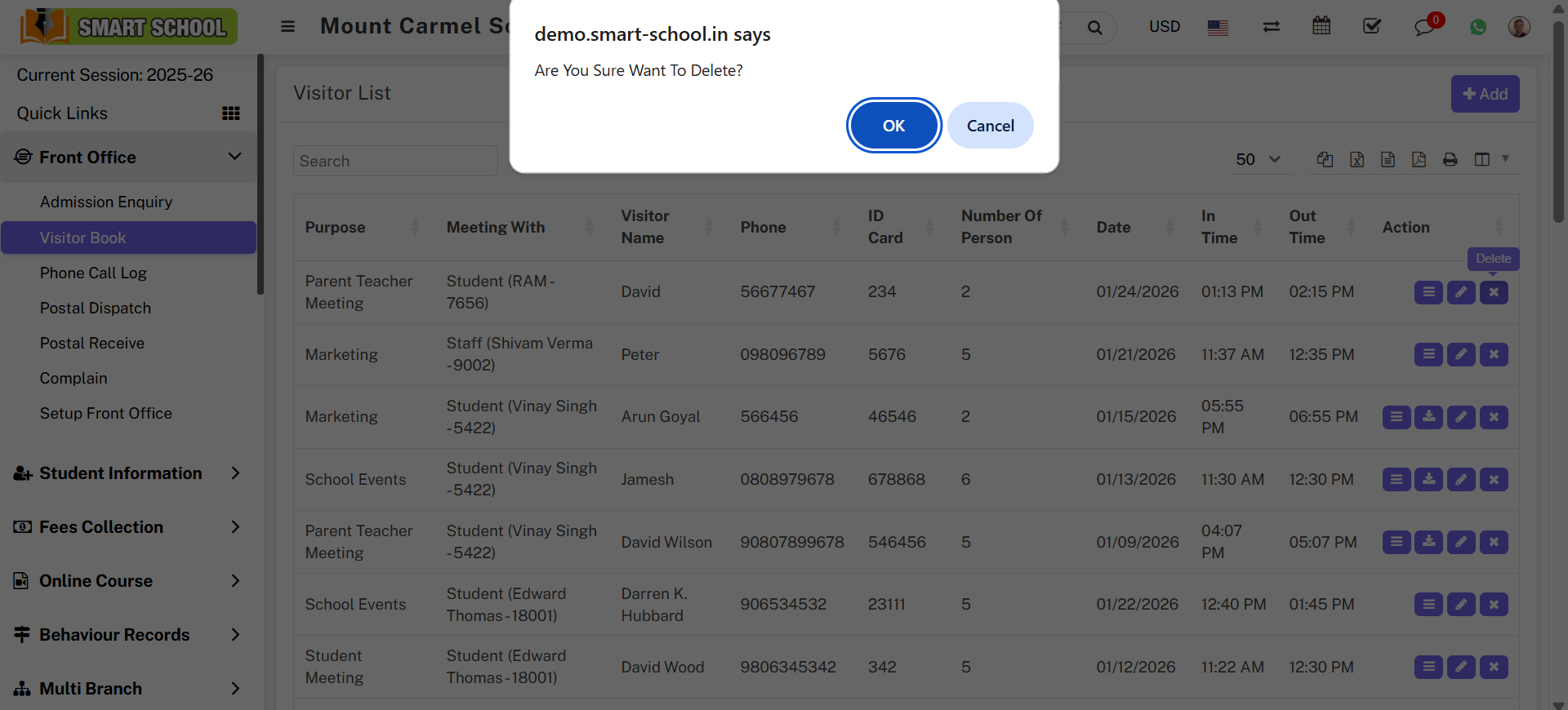
To delete visitor, click Delete icon and confirm the action.