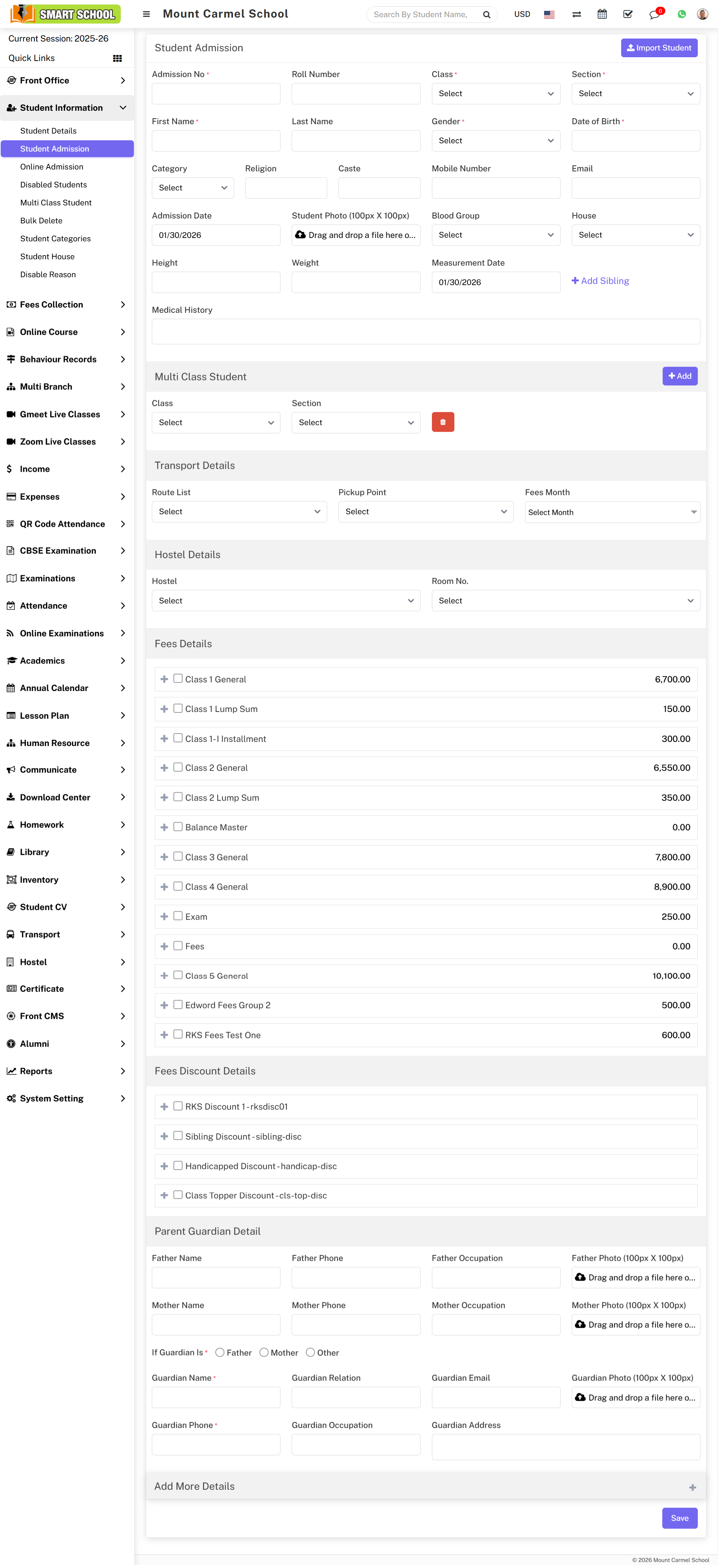
How to Conduct Student Admissions Offline?
To perform student admission, go to Student Information > Student Admission.
Enter Admission No (auto-generation can be enabled from System Setting > General Setting) and Roll Number. Roll number is for reference only and managed by the administrator.
Fill the required details: Class, Section, First Name, Last Name, Gender, Date of Birth, Category, Religion, Caste, Mobile Number, Email, Admission Date .
You can also upload: Student Photo, Blood Group, House, Height, Weight, As on Date.
➕ Add Sibling
Click on Add Sibling. In the modal, select Class, Section and Student, then click Add. The system will automatically detect other siblings.
👨👩👧 Parent / Guardian Details
Enter details such as: Father Name, Phone, Occupation, Photo and Mother Name, Phone, Occupation, Photo.
Also fill Guardian Details and click Save.
➕ Additional Information
Click on the (+) icon to add more details: Student Address, Transport, Hostel, Miscellaneous Details and Upload Documents.
Finally, click Save to complete the admission process.