How to Print Admit Card?
To print admit card, go to Examination > Print Admit Card. Then select Exam Group, Exam, Session, Class, Section, and Admit Card Template. Click on the Search button.
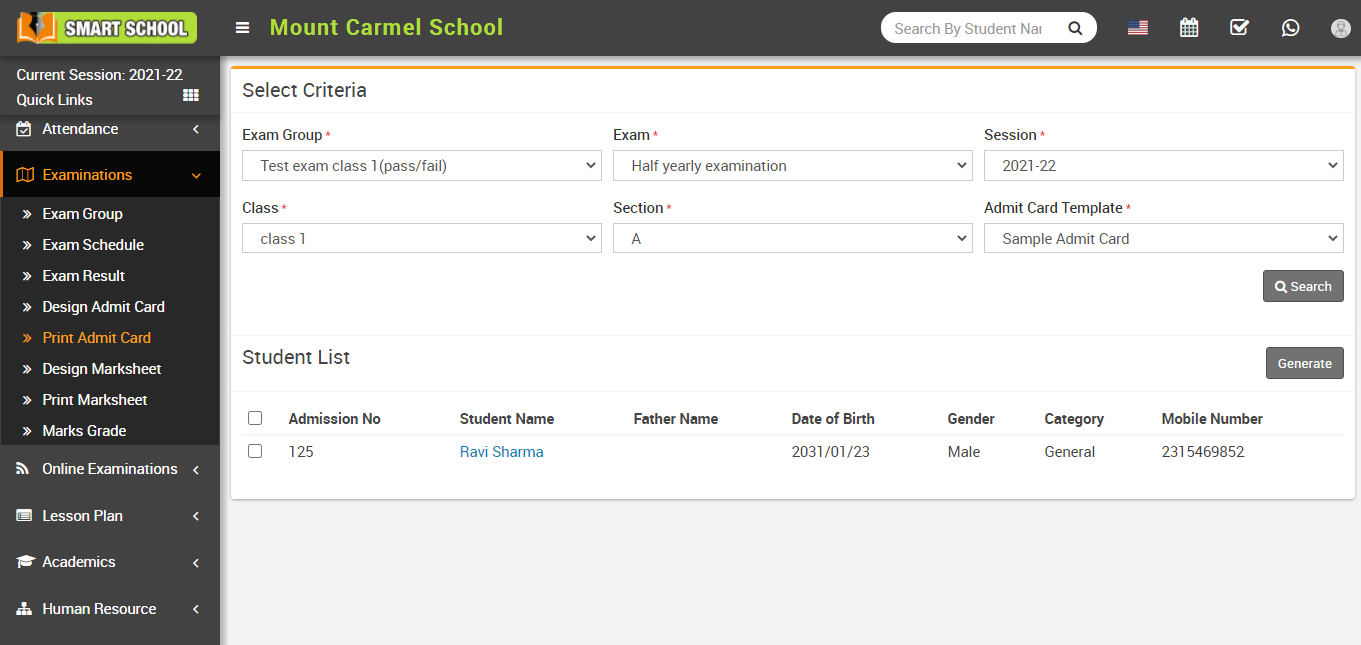
After searching, the student list will be shown below. Select students and click on the Generate button on the right side. The admit card will open automatically.
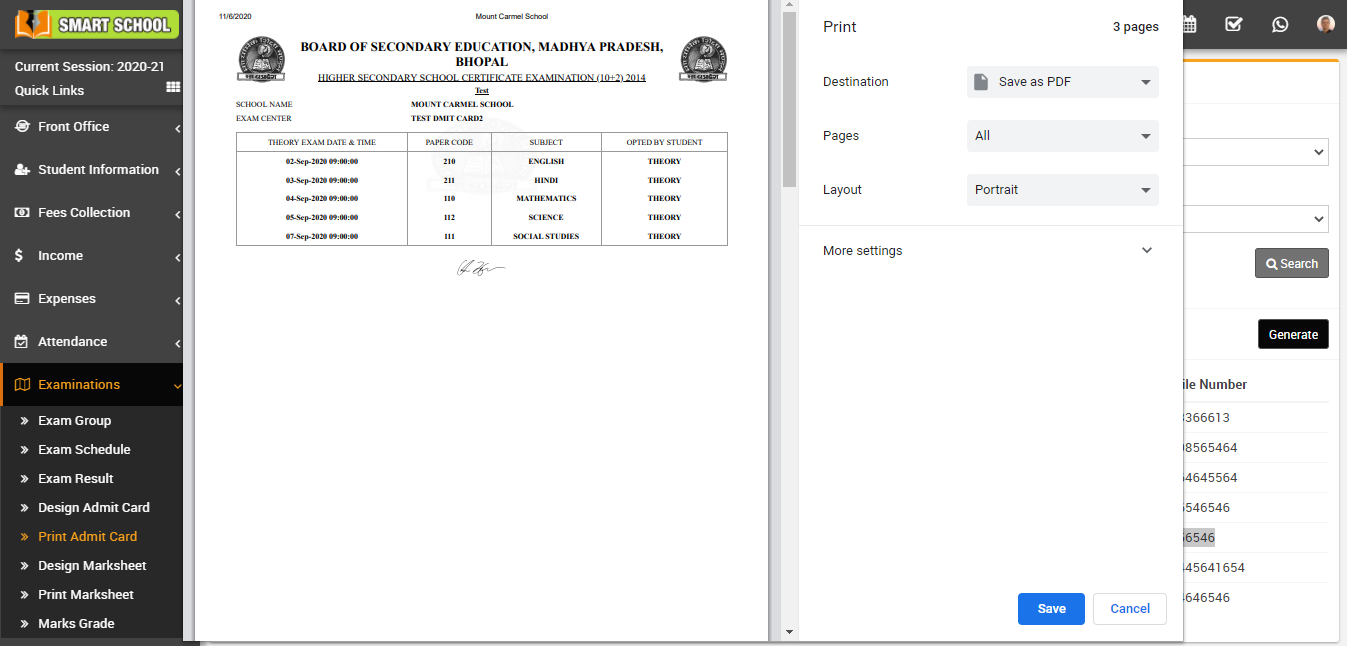
Note: Do not print directly. Select Save as PDF from destination and then print using the downloaded PDF file.