How to Delete Students in Bulk?
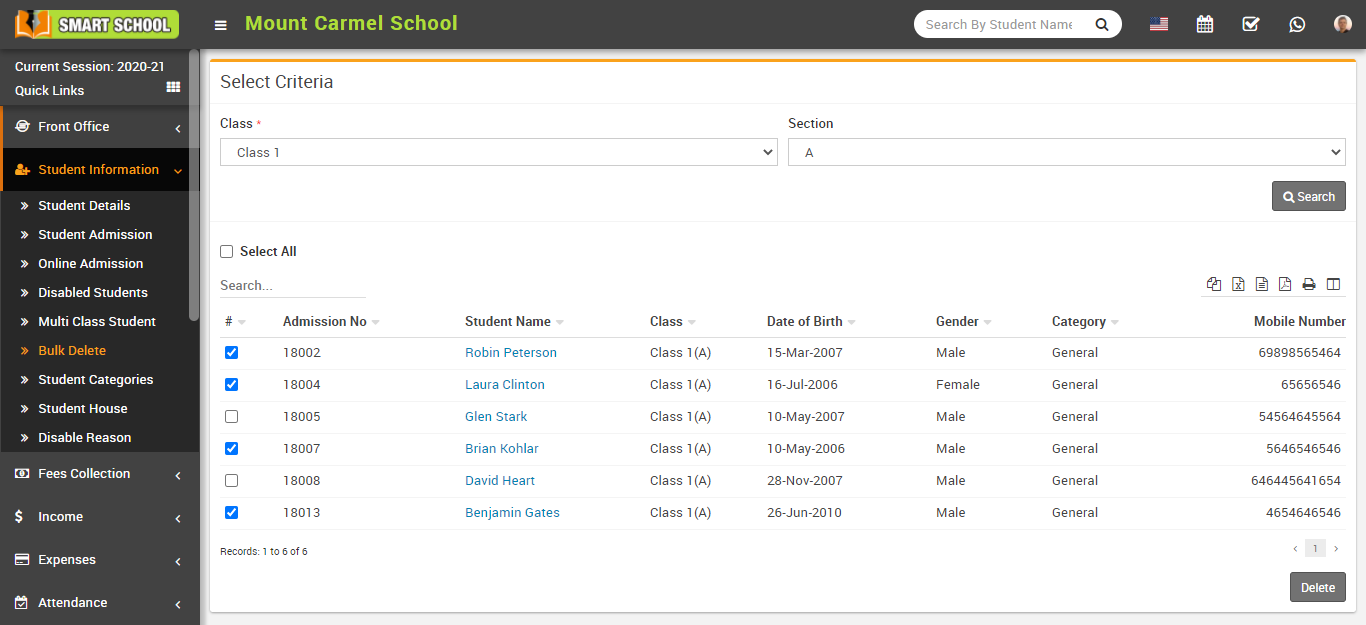
To delete students in bulk, go to Student Information > Bulk Delete.
Select Class and Section, then click on the Search button.
The list of students will appear below. You can select one or multiple students from the list.
After selecting students, click on the Delete button to remove them from the system.