How to Add Design Marksheet?
To add design marksheet, go to Examination > Design Marksheet. Then enter template details such as Template, Heading, Title, Exam Name, School Name, Exam Centre, Body Text, Footer Text, Printing Date .
Upload logos and signatures: Left Logo, Right Logo, Left Sign, Middle Sign, Right Sign, and set Background Image.
Enable or disable required fields and click Save. You can view all records in the Marksheet List.
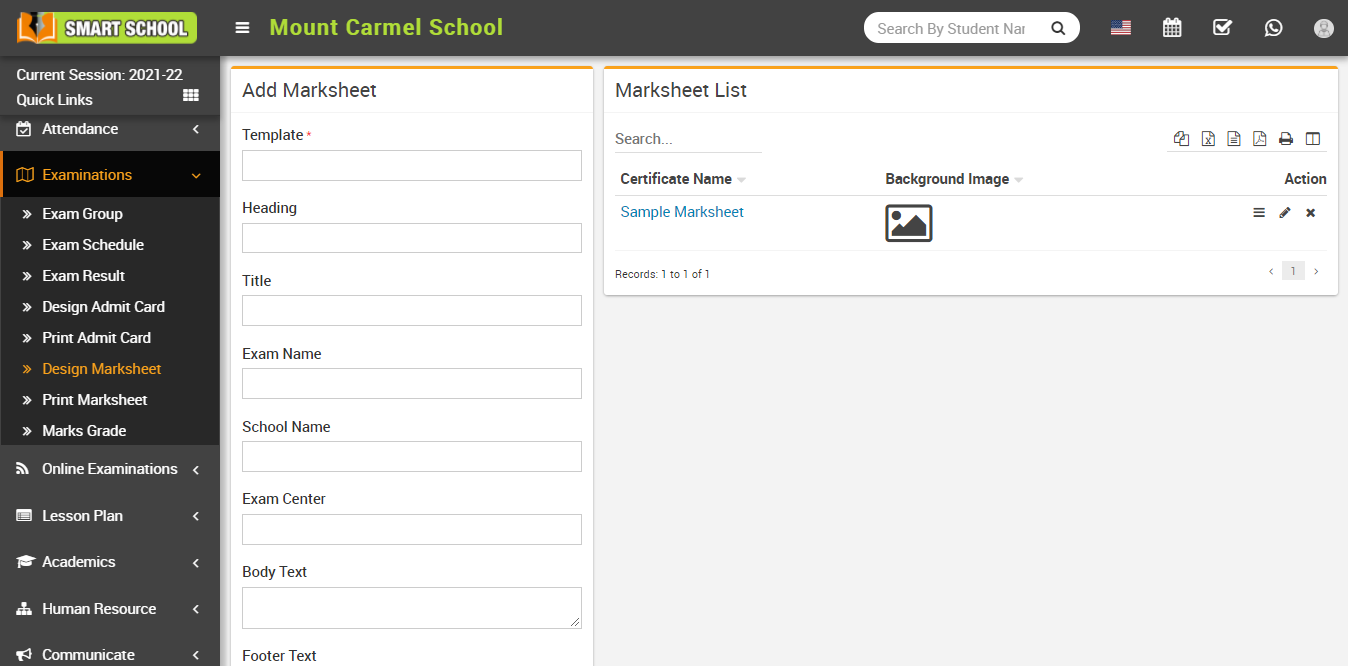
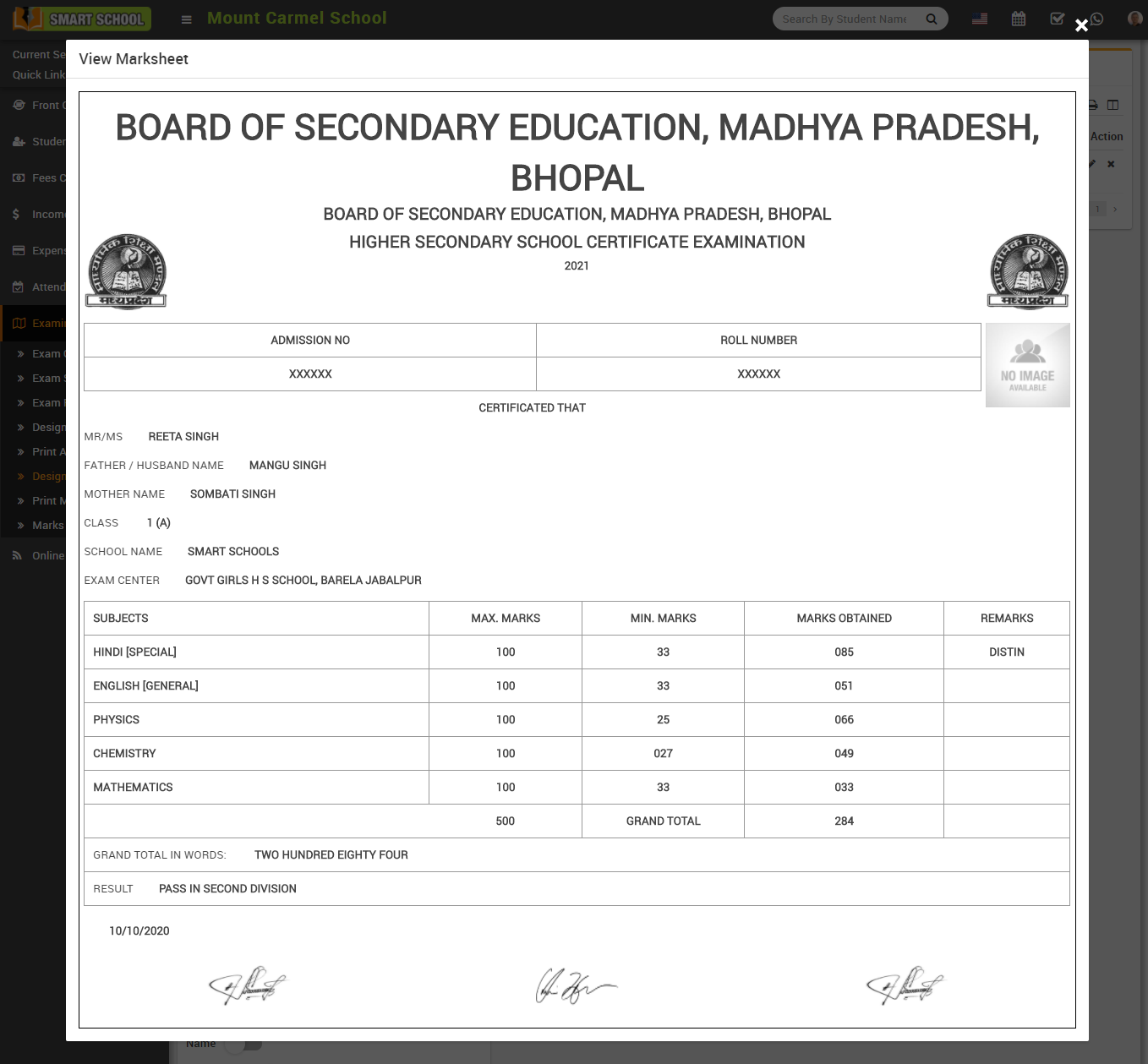
To view marksheet, click on the View icon in the action column. A preview modal will open.
You can also Edit or Delete marksheet from the list.