How to Add Design Admit Card?
➕ Create Admit Card Design
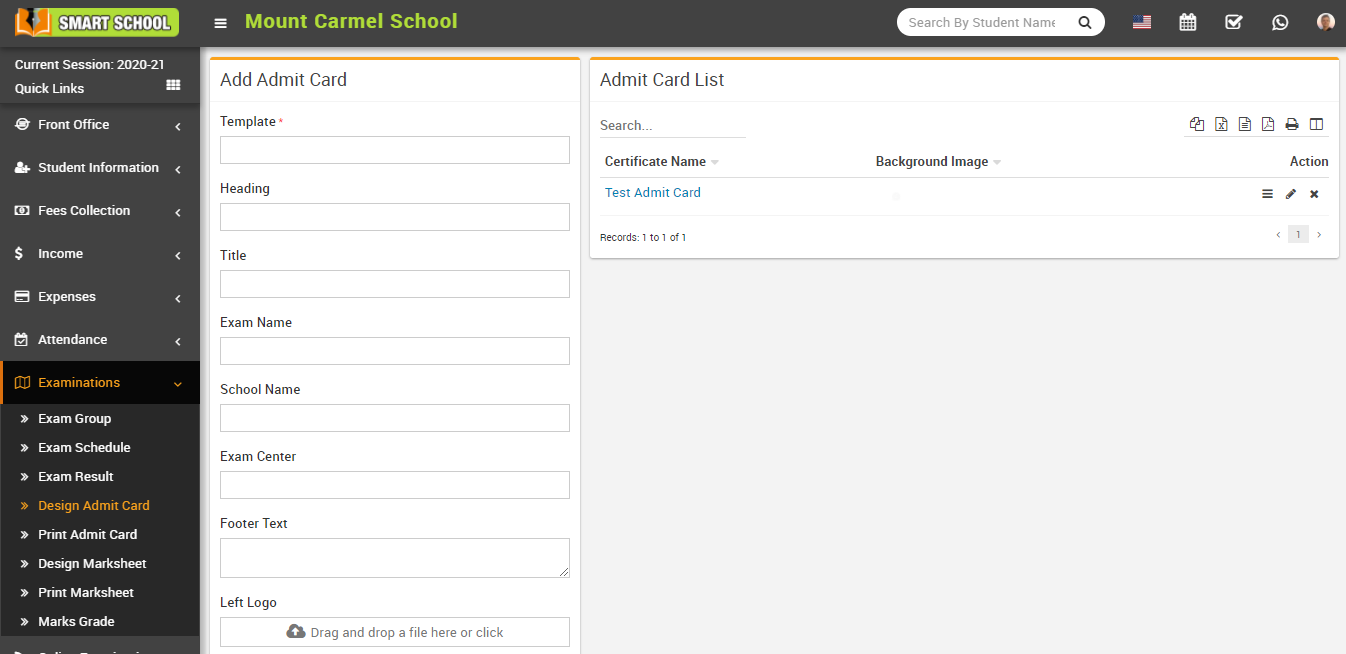
Go to Examination > Design Admit Card.
Fill in the following details:
- Template
- Heading
- Title
- Exam Name
- School Name
- Exam Centre
- Footer Text
- Left Logo
- Right Logo
- Signature File
- Background Image
Enable or disable the fields you want to display on the admit card, then click Save.
The created design will be visible in the Admit Card List.
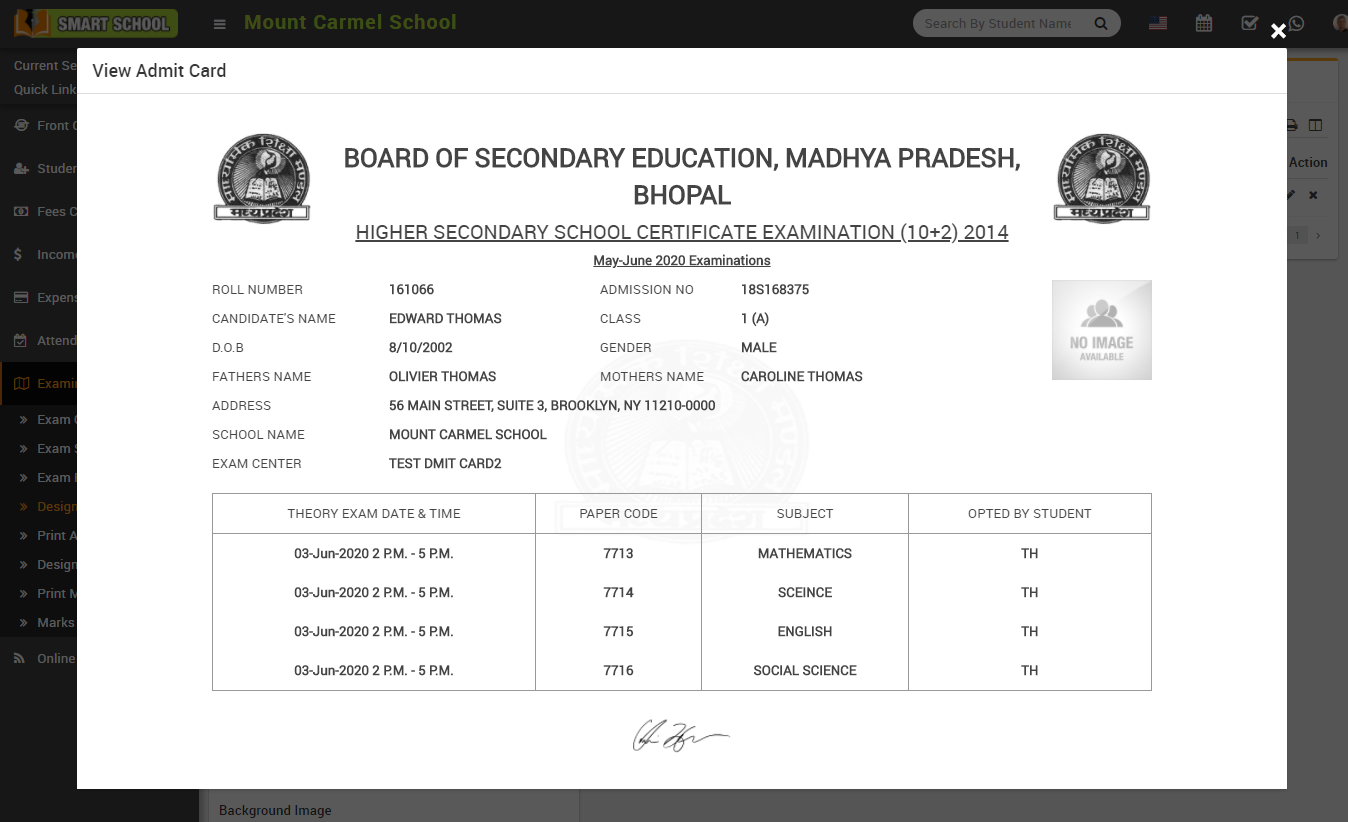
👁 View Admit Card
Click on the View icon in the Action column. This will open the admit card preview modal.
✏️ Manage Admit Card
- Click Edit icon to update the admit card design
- Click Delete icon to remove the design