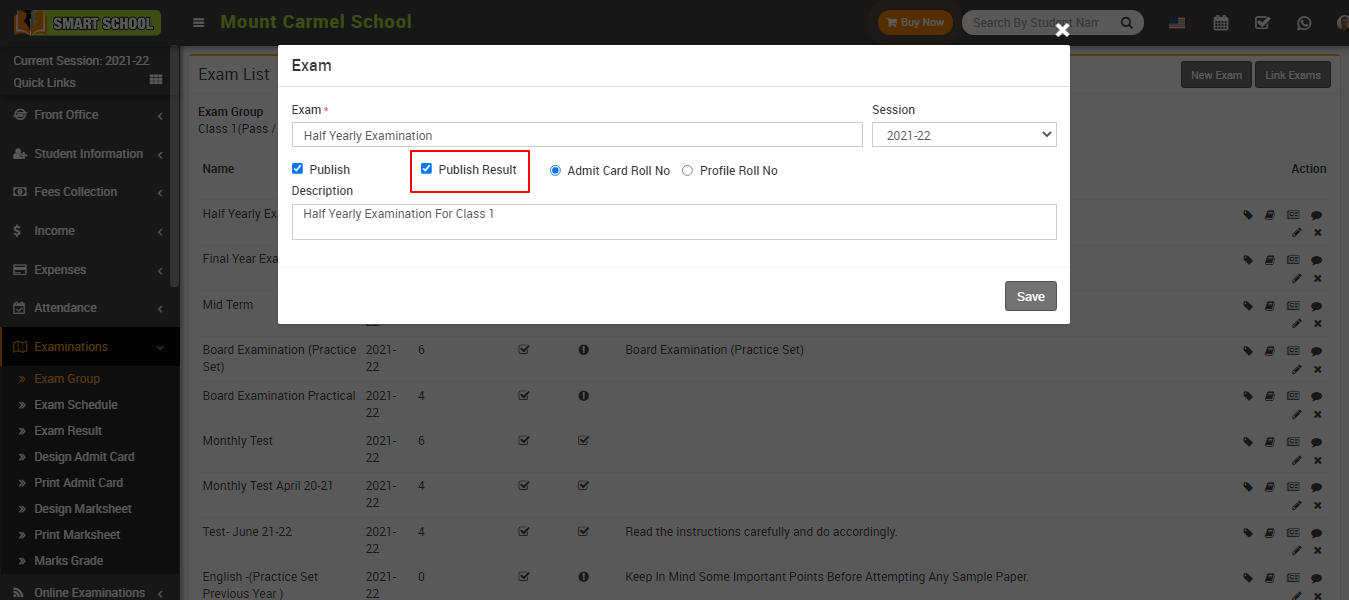
How to Publish Exam and Exam Result?
📘 Publish Exam
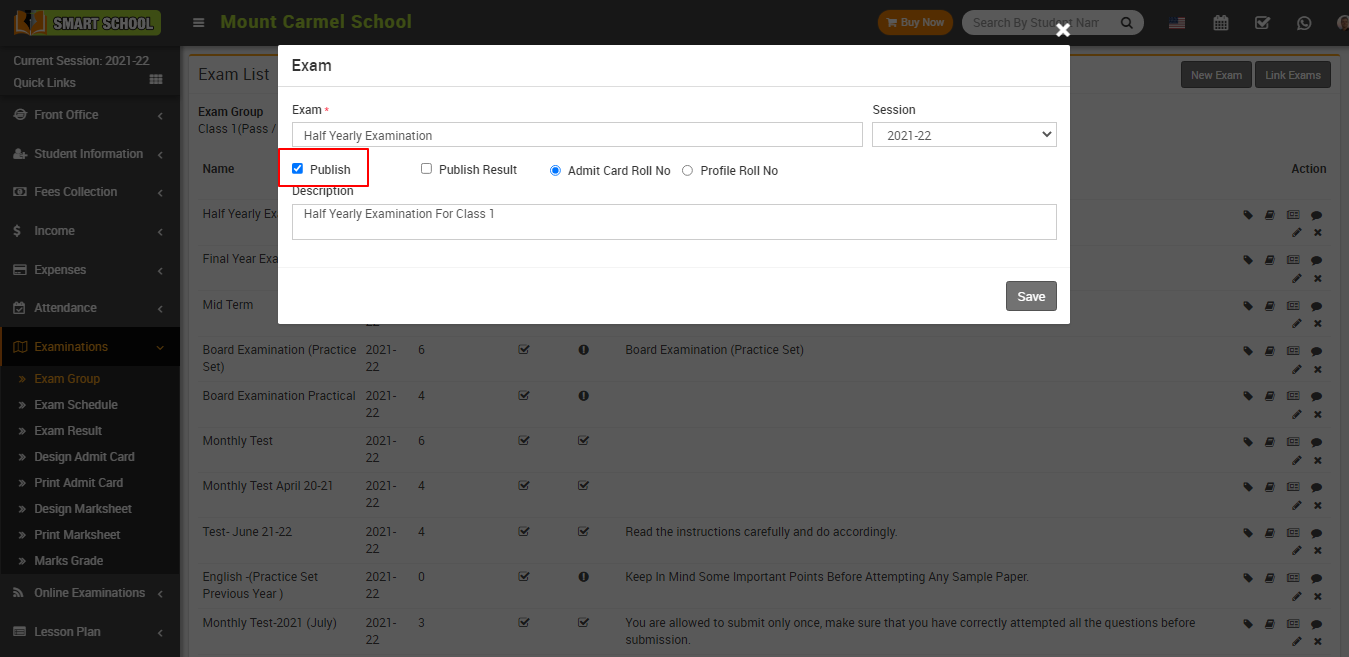
When creating an exam in Smart School, you will see an option called Publish Exam.
If you enable this option and save it, the exam will be published and students will be able to attend it.
Published exams will also show a check mark status in the exam list page.
📊 Publish Exam Result
After entering student marks, go to edit exam and enable Publish Result.
Once saved, the exam result will be visible to students on the Exam Result page.