How to Add Fees Discount?
➕ Create Fees Discount
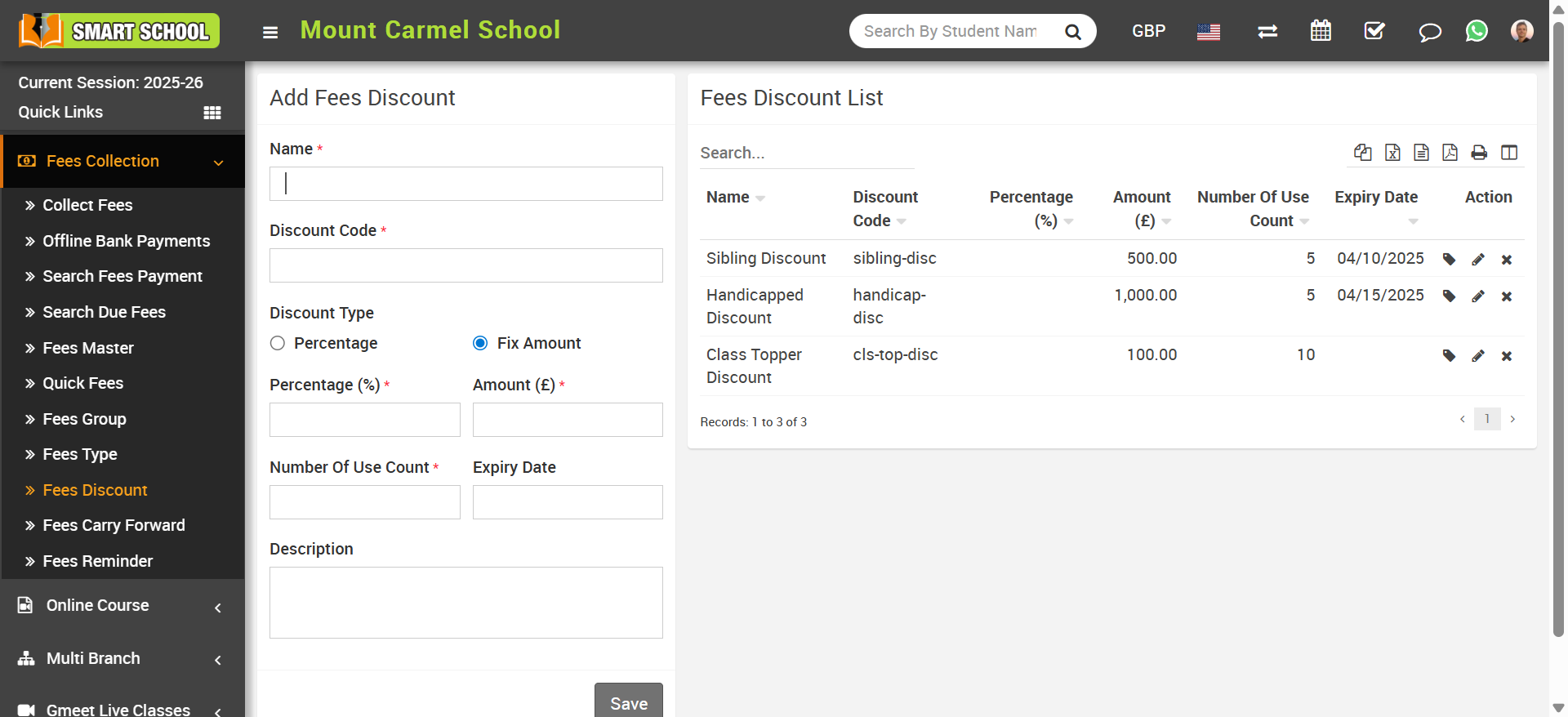
Go to Fees Collection > Fees Discount. Fill in the required details:
- Name
- Discount Code
- Discount Type (Percentage or Fixed Amount)
- Number of Use Count
- Expire Date
- Description
Click on Save to store the discount.
If the discount type is Percentage, you can apply values like 10%, 20%, etc. If it is Fixed Amount, a fixed deduction will be applied.
Note: Use Count defines how many times a discount can be used. Expiry Date defines validity period.
👨🎓 Assign Discount to Students
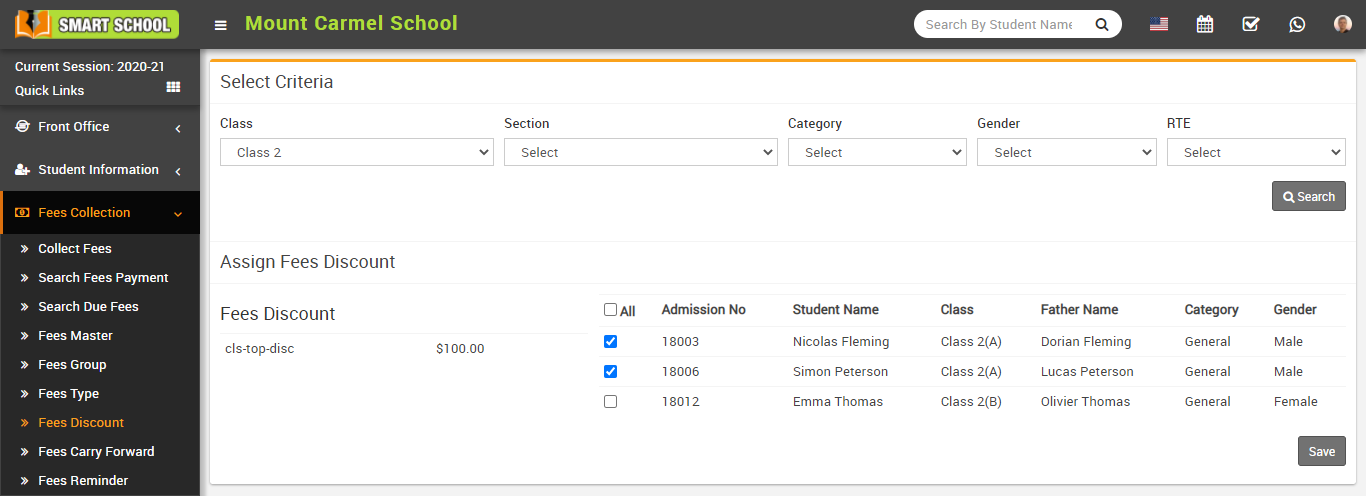
Click on Assign / View Student icon in the Action column.
Select filters: Class, Section, Category, Gender, RTE, then click Search.
Select students and click Save to assign discount.
✏️ Manage Discount
You can Edit or Delete discounts from the list.