How to Assign / View Students for Exam?
📁 Step 1: Open Exam Group
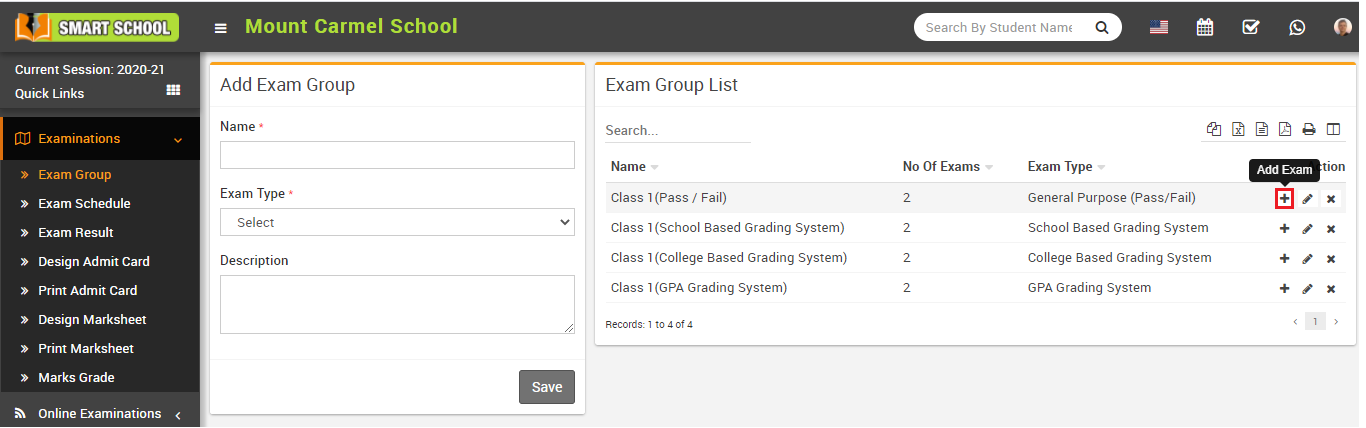
Go to Examination > Exam Group.
Click on the Add icon in the Action column to open the Exam List page.
👨🏫 Step 2: Assign/View Students
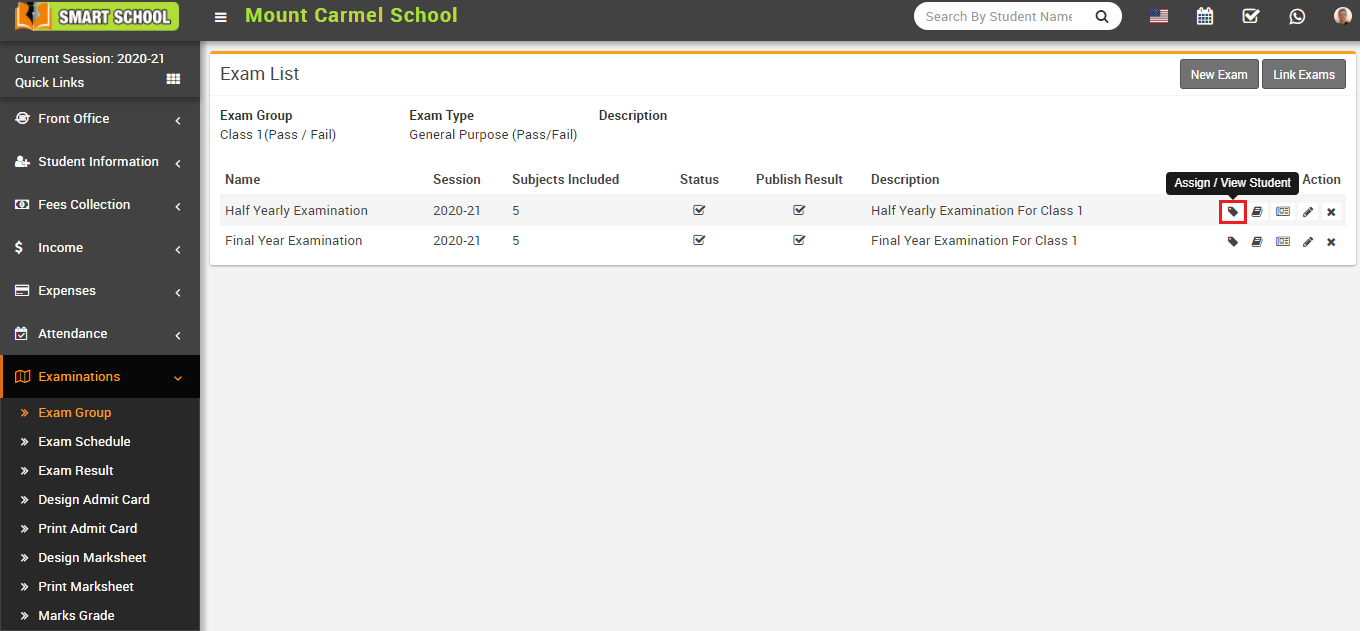
Click on the Assign/View Student icon in the Action column of the exam list page.
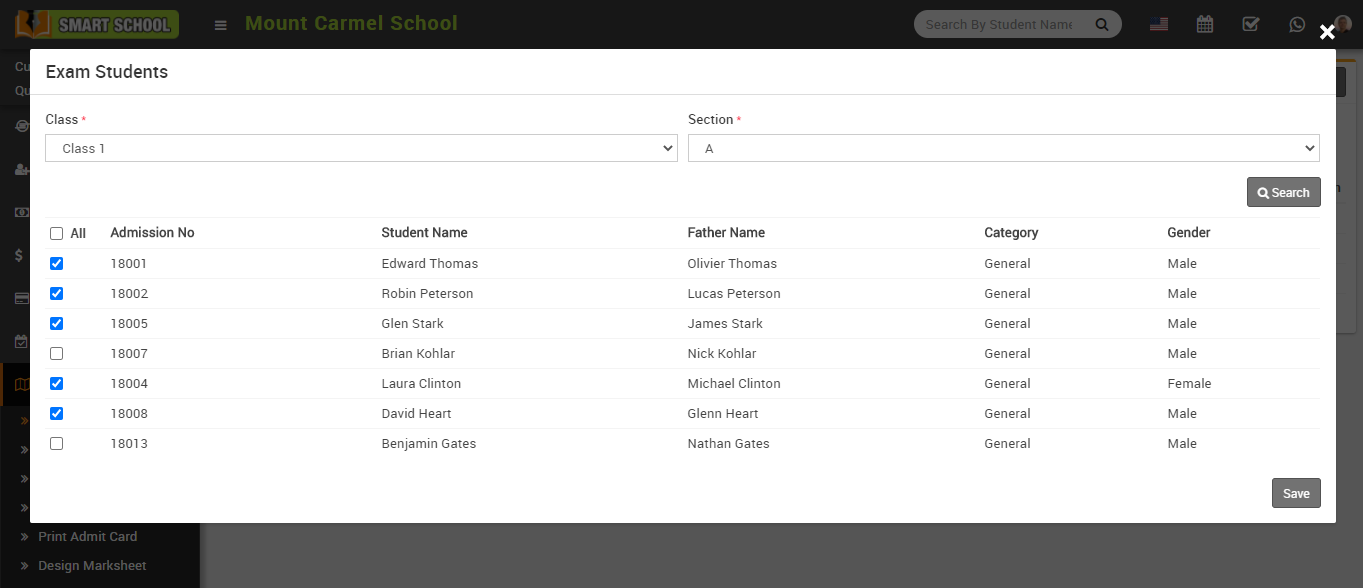
This will open the Exam Student modal.
🔍 Step 3: Search Students
Select Class and Section, then click Search.
You will see assigned and unassigned students.
✅ Step 4: Assign / Unassign Students
Select students and click Save to assign or unassign them for the exam.