How to Add Marks Grade?
To add mark grade, go to Examination > Marks Grade.
Fill in the details: Exam Type, Grade Name, Percent From, Percent Upto, Grade Point, Description. Then click on Save button.
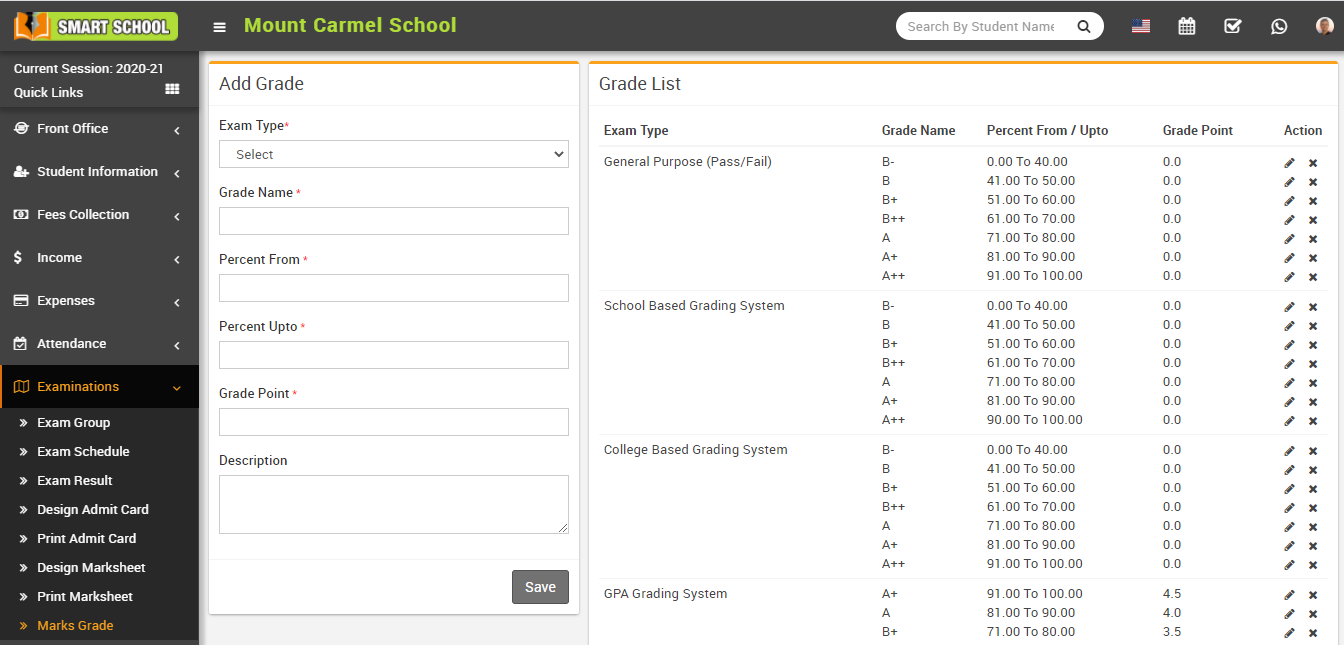
You can view all added grades in the Grade List.
To edit a grade, click the Edit icon. To delete a grade, click the Delete icon from the list.