How to Add Disable Reason?
To add a disable reason, go to Student Information > Disable Reason.
Enter the Name of the reason and click on the Save button.
The newly added record will appear in the Disable Reason List on the right side of the page.
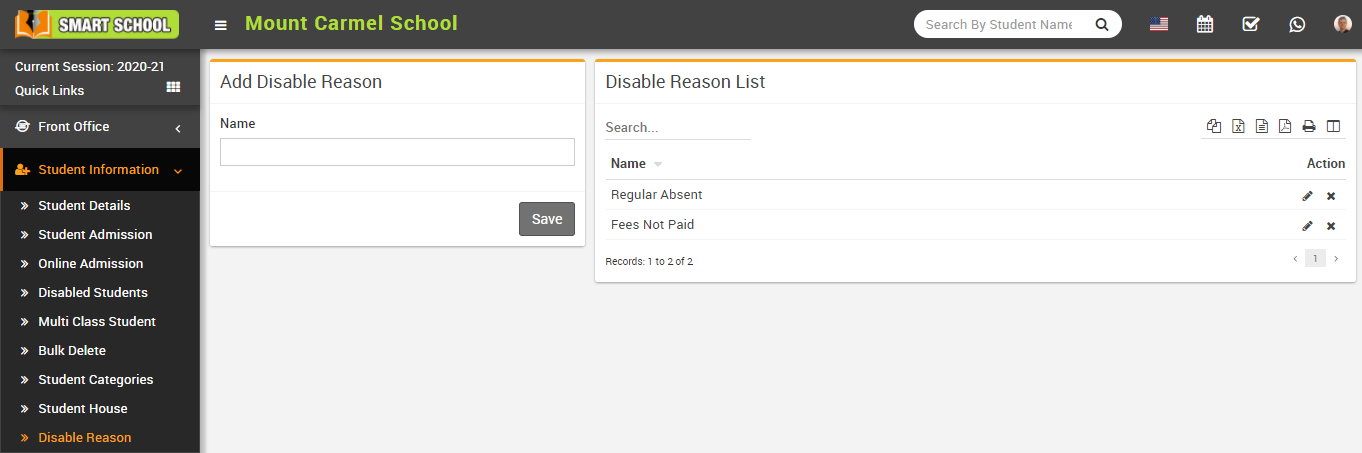
To update a reason, click on the Edit icon. To remove a reason, click on the Delete icon from the list.