How to Manage Backup / Restore?
📘 Overview
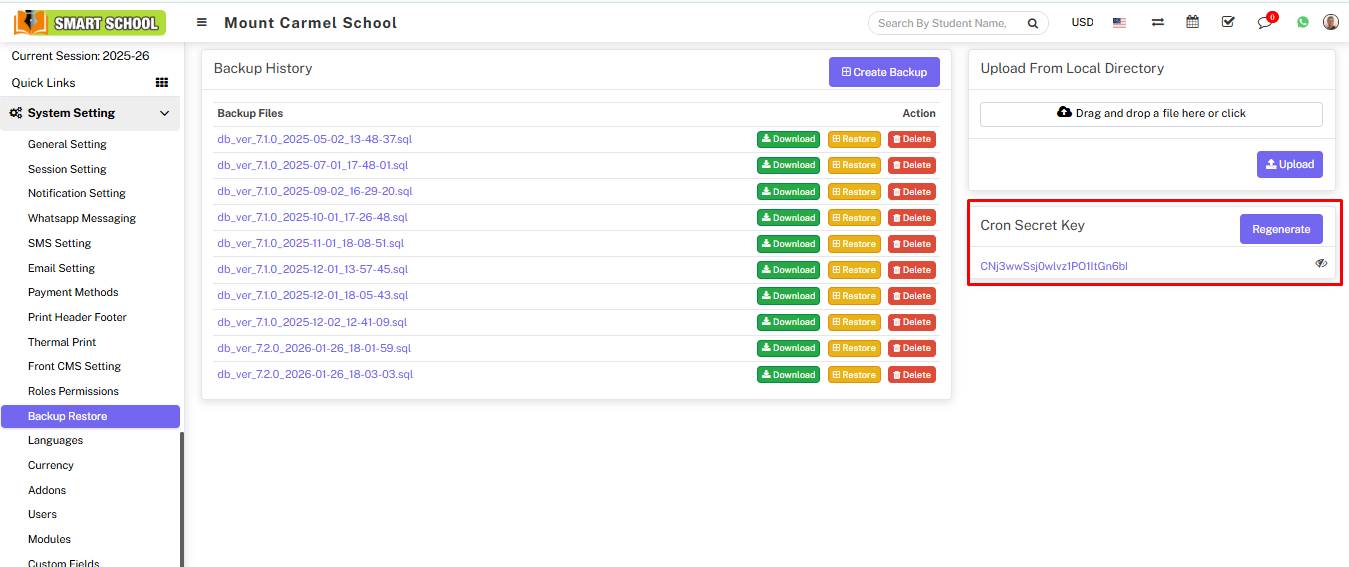
Backup and restore is used to protect your system data from loss. It creates copies of your data which can be recovered in case of system failure, accidental deletion, or security issues.
➕ Create Backup
Go to System Settings > Backup/Restore and click on Create Backup.
The system will generate a backup file with today’s date, visible in the Backup Files list.
📥 Download / Restore / Delete Backup
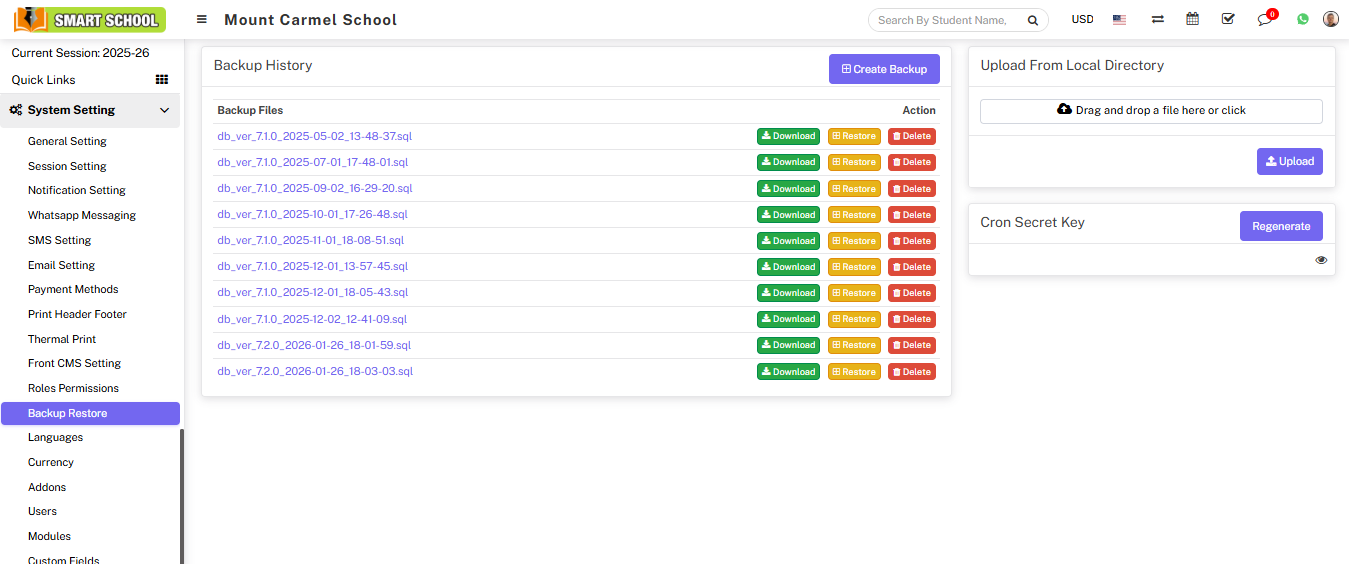
- Download: Download backup file
- Restore: Restore selected backup
- Delete: Remove backup file
📤 Upload Backup
To upload backup from your system, drag the file into Upload From Local Directory and click Upload.
⚙ Auto Backup (Cron Setup)
To enable automatic backup, configure Cron Job on your server.
Use this URL format:
http://yourdomain/smartschool/cron/autobackup/<your-cron-secret-key>
Generate or regenerate your secret key using the Generate/Regenerate button. You can view it using the Eye icon.