How to Add Staff Directory?
➕ Add Staff
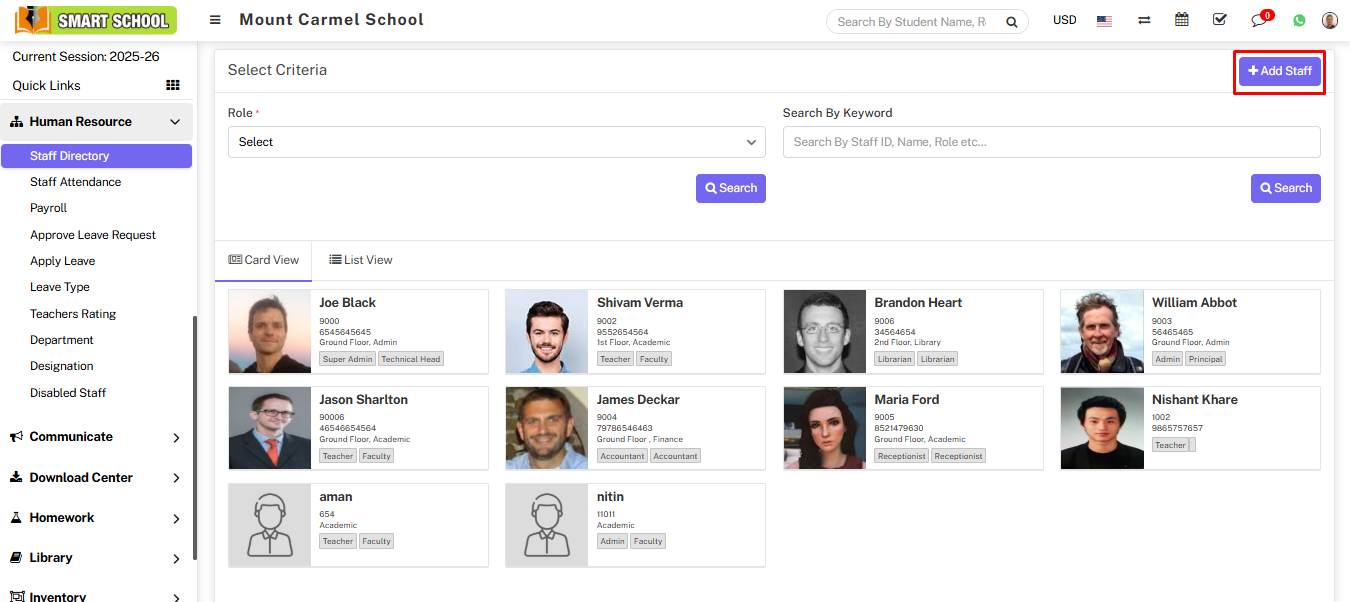
Go to Human Resource > Staff Directory and click Add Staff.
Fill in the basic information:
- Staff ID
- Role, Designation, Department
- Name, Father Name, Mother Name
- Email (Login Username)
- Gender, DOB, Joining Date
- Phone, Emergency Contact
- Address, Qualification, Experience
- PAN Number
Click + to add additional details such as payroll, leaves, bank info, and documents.

📋 View Staff List
Select Role and click Search to view staff list.
You can switch between Card View and List View.
👁 Staff Profile
Click Show icon to view staff details including:
- Profile
- Payroll
- Leaves
- Attendance
- Documents
- Timeline
